GETTING STARTED
EMPLOYEE REQUESTS
PAYROLL
REIMBURSEMENT
DOCUMENTS AND FIELDS
RECRUITMENT
AUTOMATION AND NOTIFICATIONS
AUTOMATION AND NOTIFICATIONS
HR Digest Email
This feature is part of FlyHR Pro on the Starter, Business, and Agency plans.
The HR digest is one email each week or each month to your HR managers. It lists what happens in that period: new team members, birthdays, who is out, contracts and traineeships that end, and work anniversaries.
Before you start
- You must be a WordPress administrator or an HR manager.
- The HR Digest Email module must be on. See Install FlyHR Pro.
- The people who must get the digest need the HR Manager role.
Step 1: Open the HR Digest email
- Go to FlyHR → Settings.
- Click Email Templates.
- Find HR Digest and click Configure.
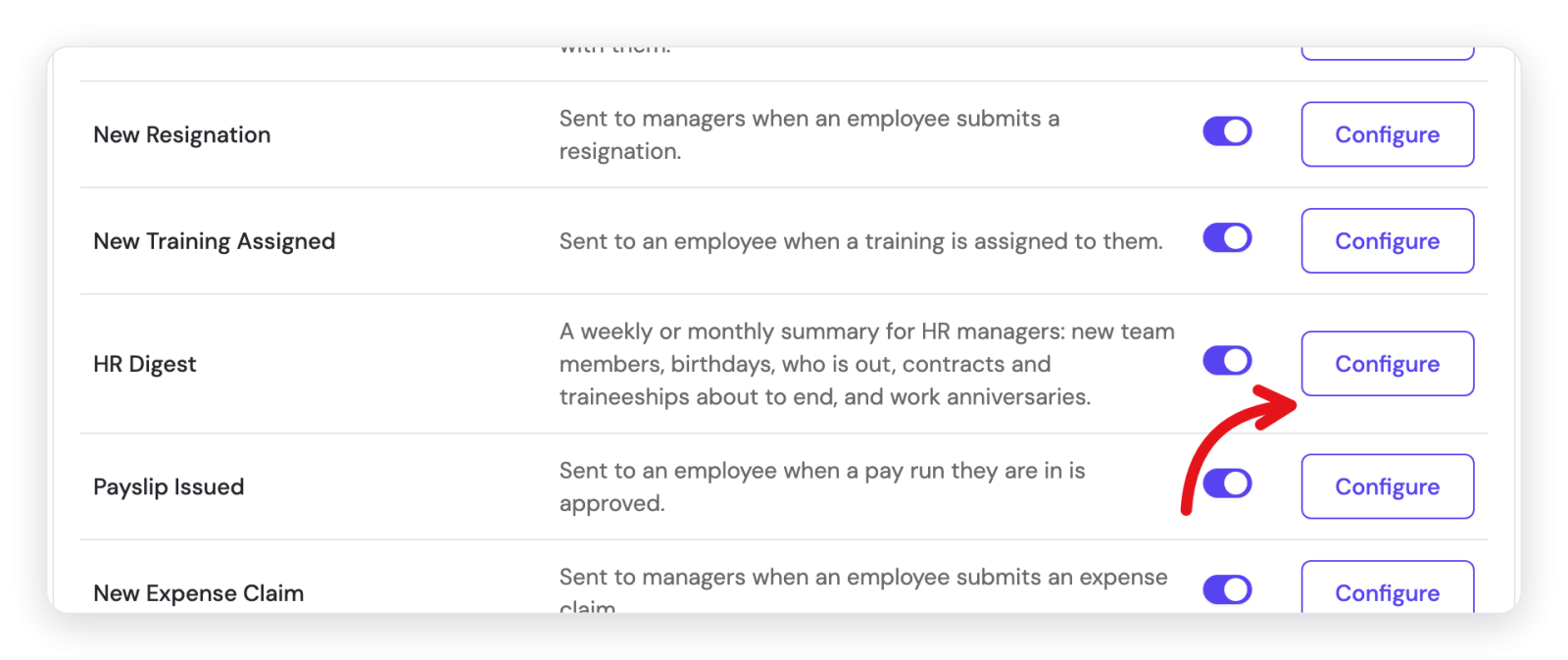
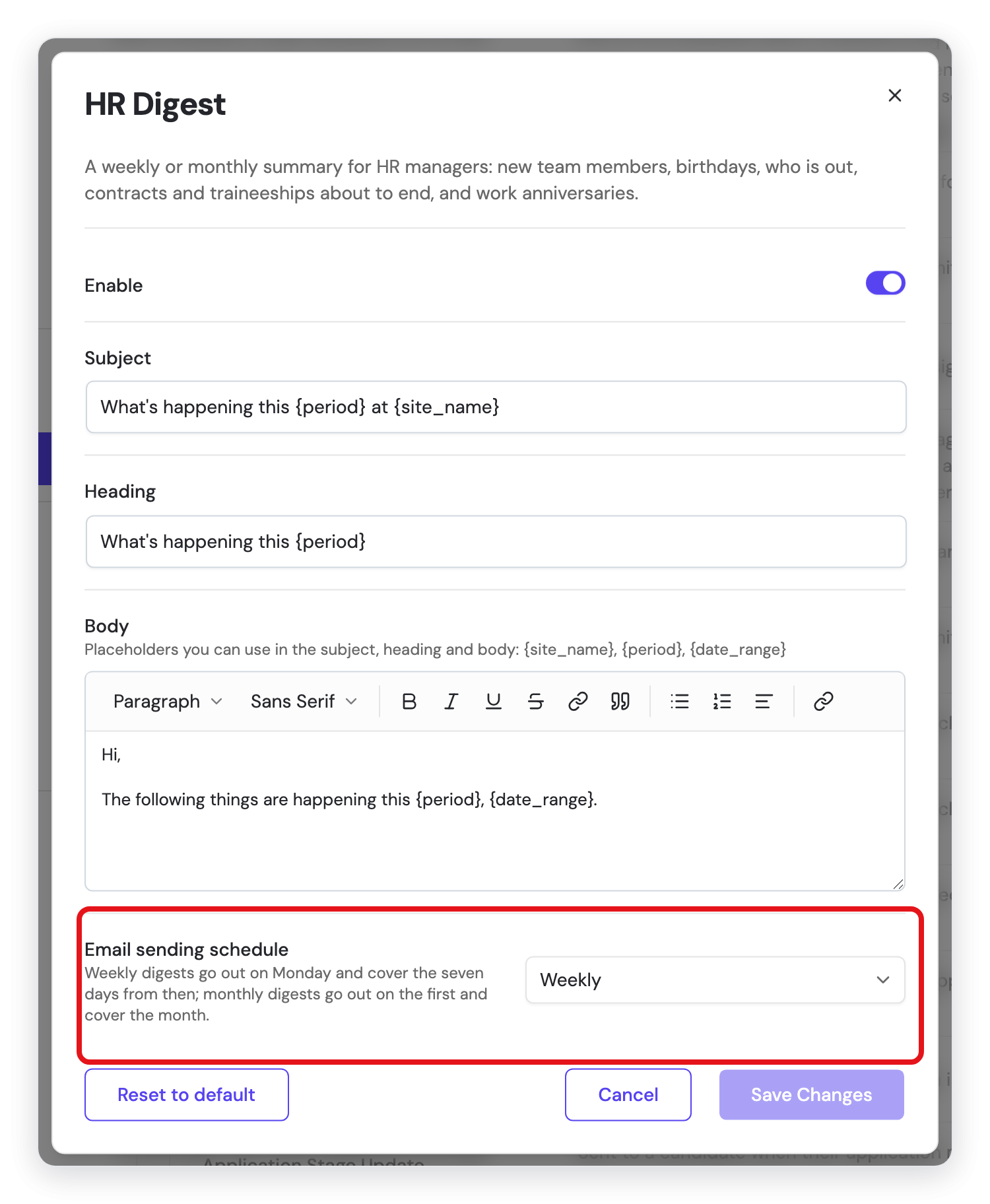
Step 2: Set the digest
- Make sure that Enable is on.
- Optional: change the Subject, the Heading, and the Body.
- In Email sending schedule, select Weekly or Monthly.
- Click Save Changes.
| Schedule | When FlyHR sends it | The period that it covers |
|---|---|---|
| Weekly | Each Monday | The seven days from that Monday |
| Monthly | The first day of each month | That month |
You can use these placeholders in the subject, heading, and body: {site_name}, {period} (week or month), and {date_range}.
To go back to the original text, click Reset to default.
What the digest contains
FlyHR adds these sections after the body of the email:
| Section | Who is in it |
|---|---|
| New Team Members | Employees with a date of hire in the period. |
| Birthday This week/month | Employees with a birthday in the period. |
| Who is Out This week/month | Employees with approved leave on any day of the period. |
| Contract About to End | Active employees of the type On Contract with an end date in the period. |
| Trainee About to End | Active employees of the type Trainee with an end date in the period. |
| Work Anniversary This week/month | Employees with a work anniversary in the period. |
If nothing happens in the period, the email says "Currently there is no upcoming information."
FlyHR sends the digest to each user with the HR Manager role. To stop the digest, turn off Enable.
Was this page helpful?