GETTING STARTED
EMPLOYEE REQUESTS
PAYROLL
REIMBURSEMENT
DOCUMENTS AND FIELDS
RECRUITMENT
AUTOMATION AND NOTIFICATIONS
PAYROLL
Payslips and Payroll Reports
This feature is part of FlyHR Pro on the Business and Agency plans.
FlyHR makes a payslip for each employee in an approved pay run. HR managers see the payslips of all employees. Each employee sees their own payslips. The payroll reports show what you paid, by employee or as a summary, and export it to CSV.
Before you start
- You must have at least one approved pay run. See Run Payroll.
- To see the payslips of other employees and the reports, you must be a WordPress administrator or an HR manager.
See the payslips of an employee
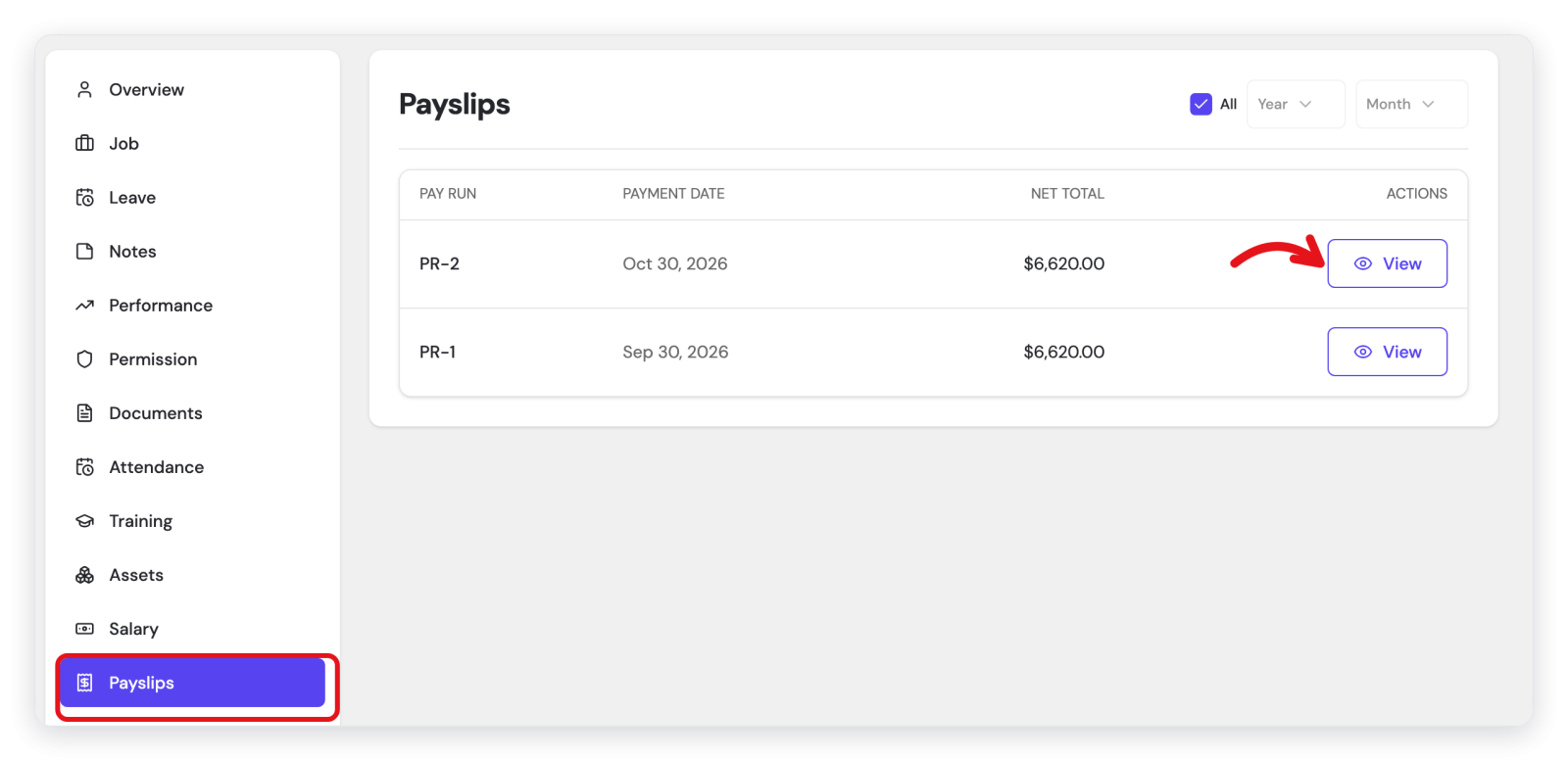
- Go to People → All Employees and click the name of the employee.
- Click the Payslips tab.
- To show the payslips of one period, clear All, then select the Year and the Month.
- Click View in the row of a payslip.
The payslip shows your company, the pay period, the payment date, the tax number, the bank account, and the payment method. Then it shows each payment, deduction, and tax, and the net pay.
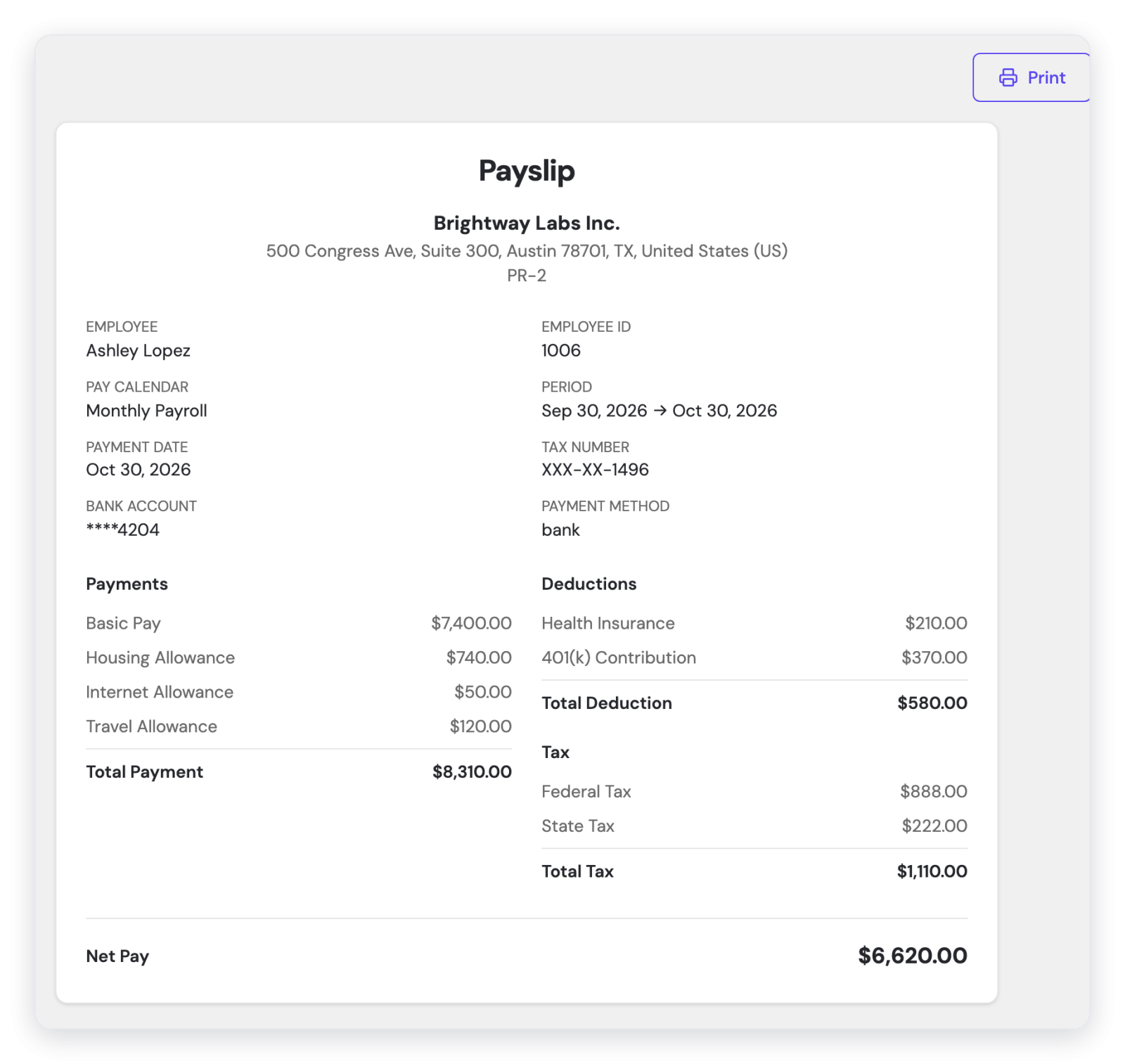
- To print the payslip, or to save it as a PDF, click Print. If nothing opens, allow pop-ups for your site.
- To hide the amounts on the screen, click Hide amounts. Click Show amounts to see them again.
The payslip shows only the last four digits of the bank account.
How employees see their payslips
Employees see their own payslips in two places:
- On their Dashboard, in the My Payslips card. It shows the newest payslips with the payment date and the net pay.
- In My Profile, on the Payslips tab.
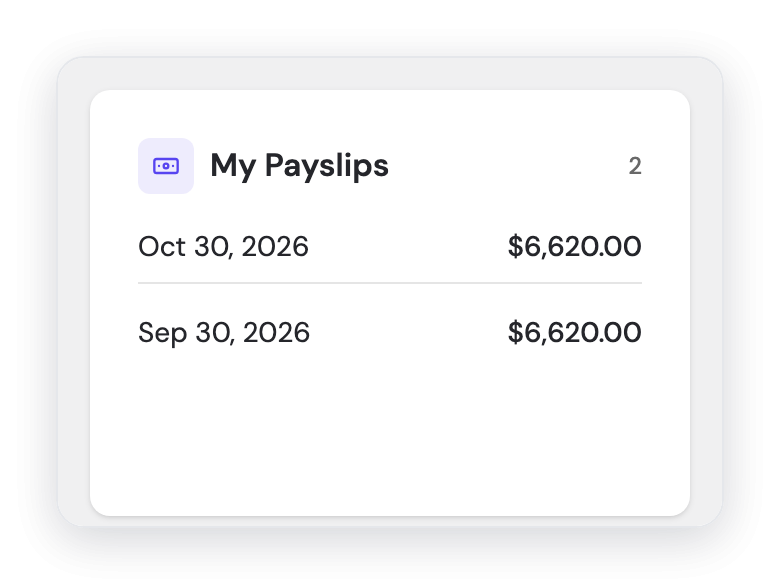
Employees cannot see the payslips of other people.
Payroll reports
- Go to More → Payroll.
- Click the Reports tab.
- Click Pay Run by Employee or Pay Run Summary.
- In Date range, select a period, for example Last 3 Months. To select your own dates, select Custom range.
- Click Search.
Pay Run by Employee
This report shows each employee with the gross wages, then each allowance, deduction, and tax with its amount, and the net pay.
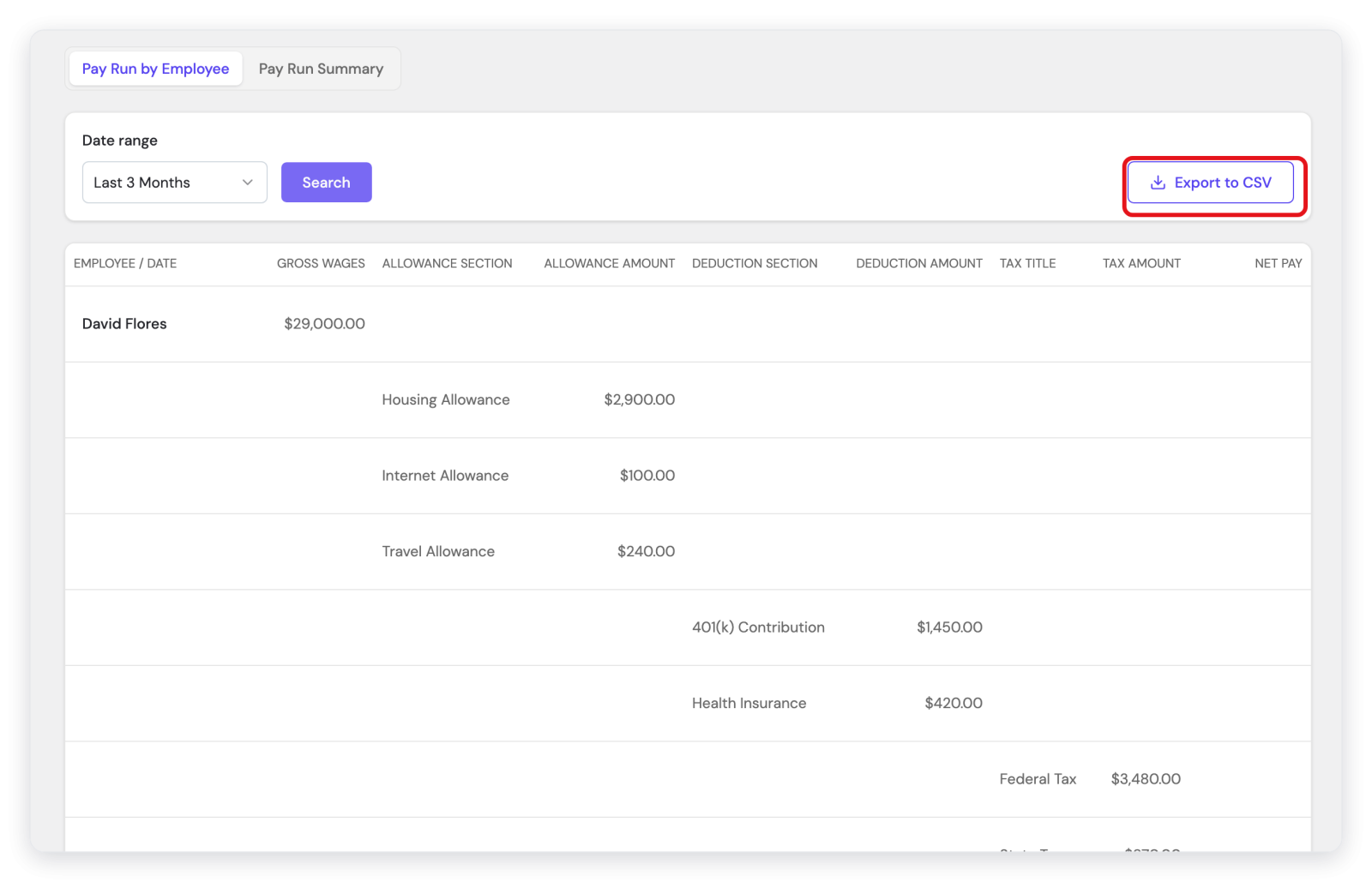
Click Export to CSV to download the report.
Pay Run Summary
This report shows one row for each employee, with the totals of the basic pay, the allowances, the deductions, the taxes, and the net pay for the period.
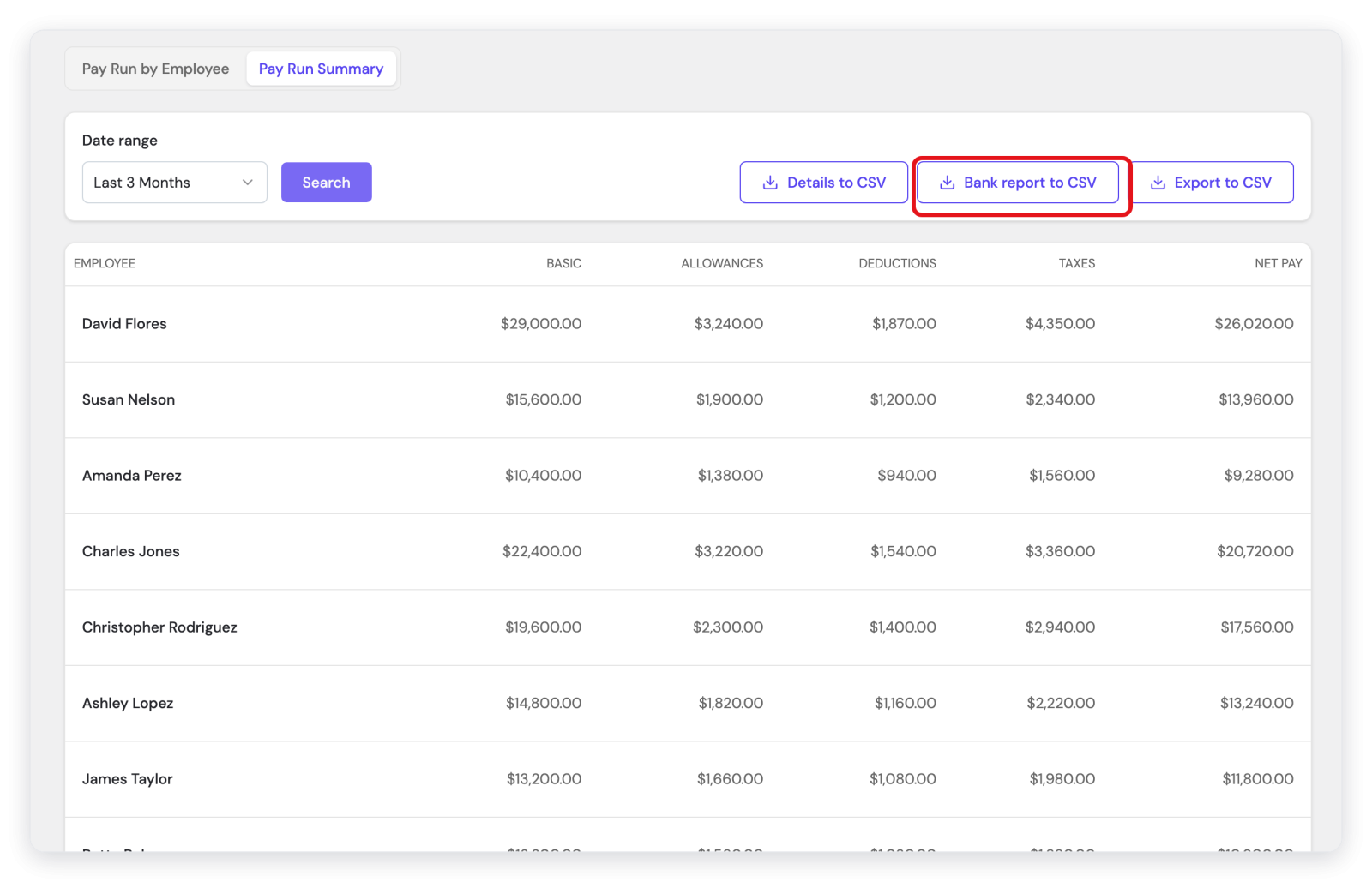
| Button | What it downloads |
|---|---|
| Export to CSV | The summary table. |
| Details to CSV | Each pay item of each employee. |
| Bank report to CSV | The net pay and the bank details of each employee, for your bank transfer. |
Date range options
Last Week, This Month, Last Month, Last 3 Months, Last 6 Months, This Year, Last Year, and Custom range.