GETTING STARTED
EMPLOYEE REQUESTS
PAYROLL
REIMBURSEMENT
DOCUMENTS AND FIELDS
RECRUITMENT
AUTOMATION AND NOTIFICATIONS
PAYROLL
Pay Components
This feature is part of FlyHR Pro on the Business and Agency plans.
Pay components are the lines of a payslip other than the basic pay: allowances, deductions, taxes, and non-taxable payments. FlyHR comes with a list of common pay items. Add the items that your company uses, then give them to your employees.
Before you start
- You must be a WordPress administrator or an HR manager.
The pay types
| Pay type | What it does | Example |
|---|---|---|
| Allowance | Adds to the pay. | Housing Allowance, Overtime, Bonus |
| Deduction | Comes off the pay. | Health Insurance, 401(k) Contribution, Loan |
| Tax | Comes off the pay. Payslips and reports show it as tax. | Federal Tax, State Tax |
| Non-Taxable Payments | Adds to the pay. It is not part of the taxable pay. | Expenses, Mileage |
Step 1: Open the pay components
- Go to More → Payroll.
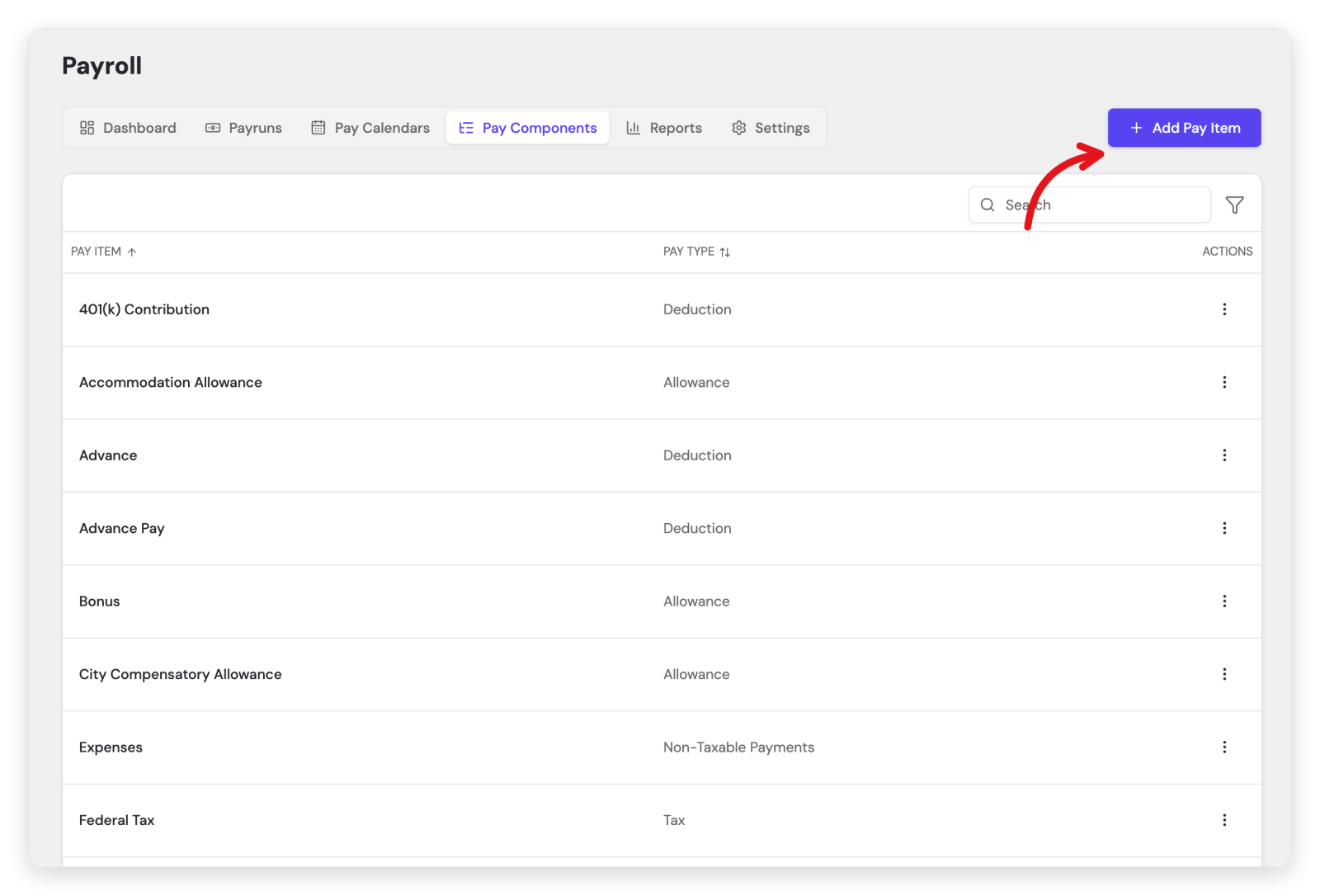
- Click the Pay Components tab.
The list shows each pay item and its pay type. Use Search and the filter icon to find an item, or to show one pay type.
Step 2: Add a pay item
- Click Add Pay Item.
- Type the name of the Pay Item, for example Phone Allowance.
- Select the Pay Type.
- Click Save.
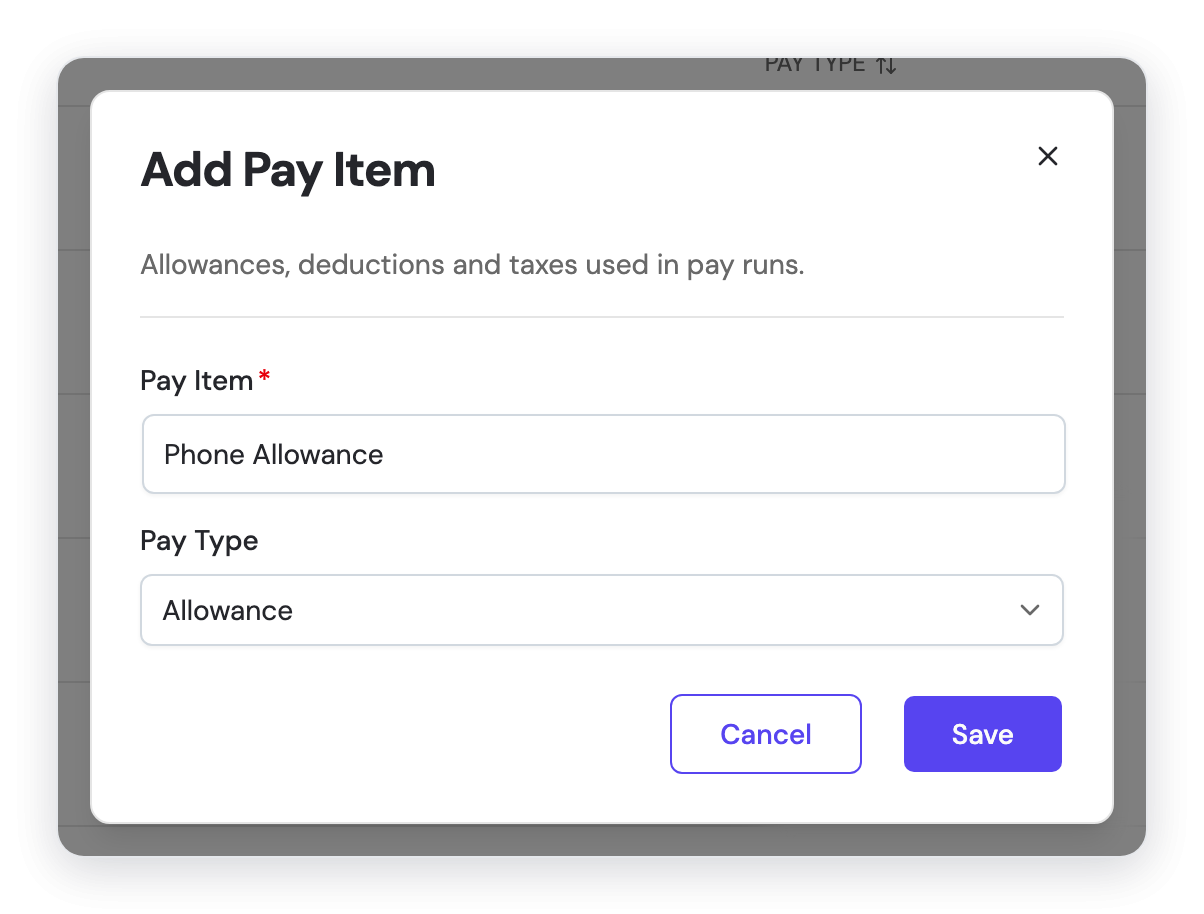
Caution: You cannot change the pay type after you save the pay item. The pay type decides if the item adds to the pay or comes off it. Select it carefully.
Step 3: Set the amount for many employees
Use Bulk edit values to set the amount of one pay item for many employees at the same time.
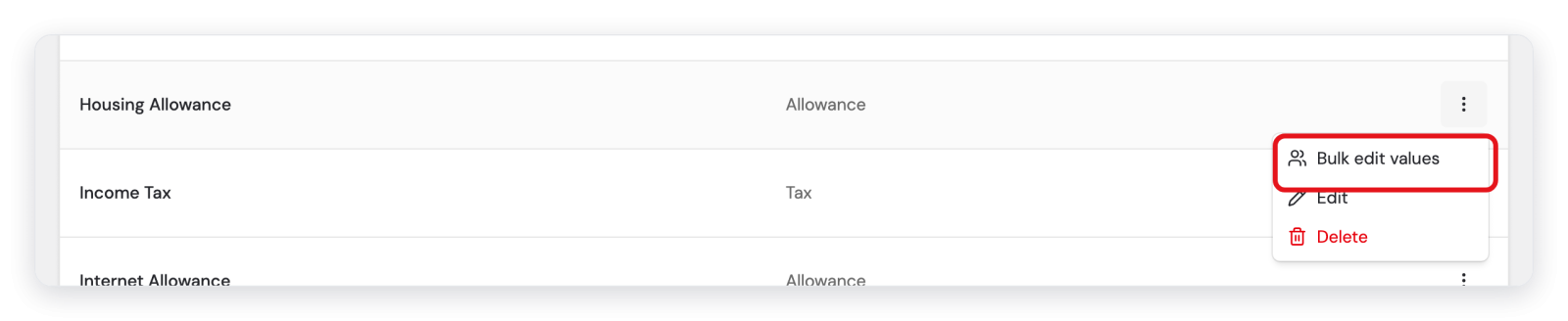
- In the row of the pay item, click the three dots.
- Click Bulk edit values.
- Type the Amount for each employee. Use the search box and the department and designation filters to find employees.
- Click Save Changes.
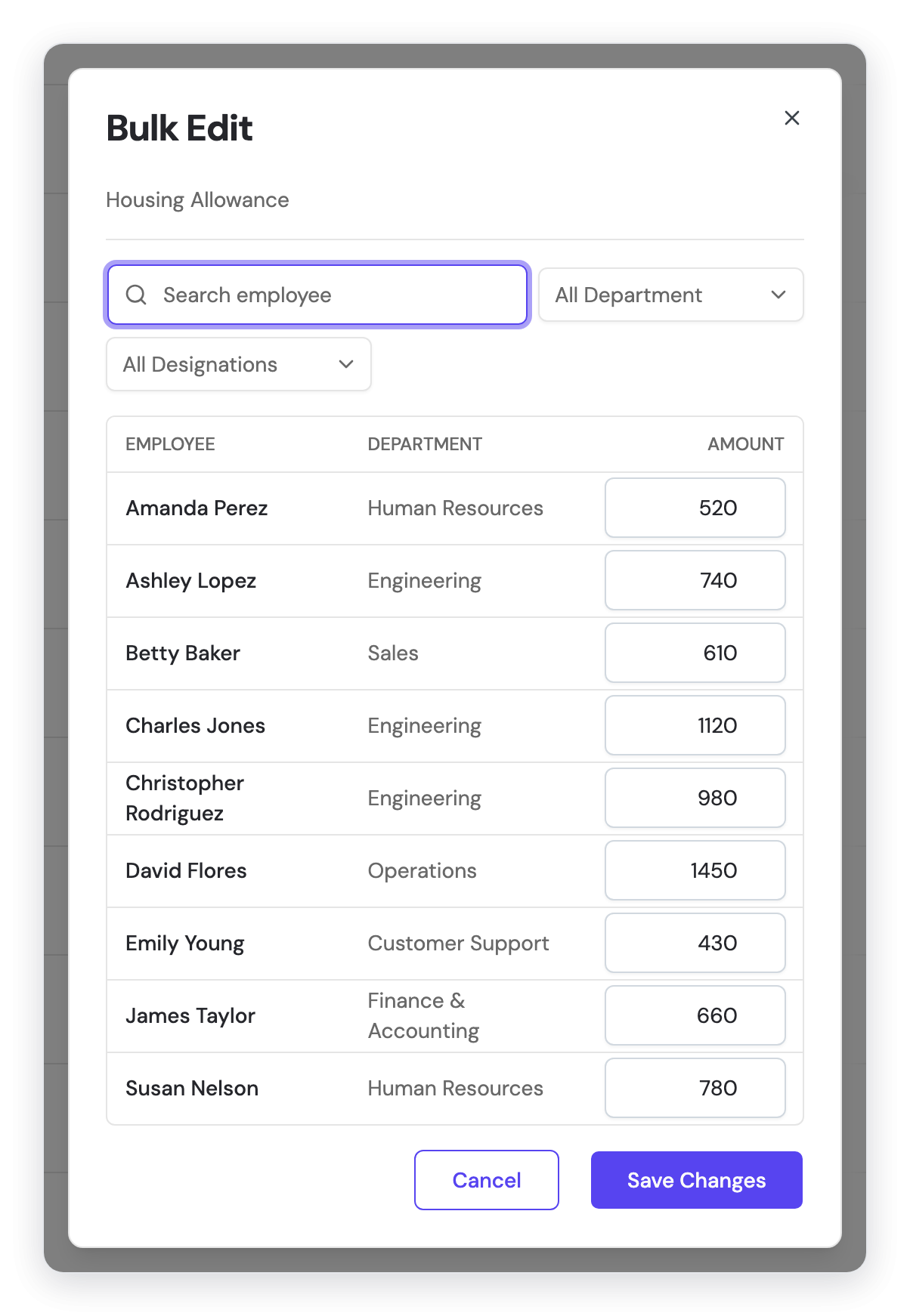
The amount becomes a fixed pay item of each employee. It is on each pay run, until you change it. You can also set fixed pay items for one employee on the Salary tab of the profile. See Pay Calendars and Employee Pay Details.
For a one-time amount, such as a bonus for one month, use Adjustments in the pay run. See Run Payroll.
Rename or delete a pay item
- To rename a pay item, click the three dots in its row, then click Edit.
- To delete a pay item, click the three dots, then click Delete.