GETTING STARTED
EMPLOYEE REQUESTS
PAYROLL
REIMBURSEMENT
DOCUMENTS AND FIELDS
RECRUITMENT
AUTOMATION AND NOTIFICATIONS
AUTOMATION AND NOTIFICATIONS
SMS Notifications
This feature is part of FlyHR Pro on the Agency plan.
Send text messages to your employees. FlyHR sends announcements and workflow messages by SMS through a gateway that you choose: Twilio, Vonage, Clickatell, SMSGlobal, or Infobip. You need an account with the gateway, and you pay the gateway for each message.
Before you start
- You must be a WordPress administrator.
- The SMS Notification module must be on. See FlyHR Pro.
- Get the account details from your gateway. See the table at the end of this page.
- Employees need a mobile number on their profile. FlyHR skips people without one.
Step 1: Connect the gateway
- Go to FlyHR → Settings.
- In the list on the left, under Modules, click SMS.
- Click the card of your gateway.
- Type the account details of the gateway.
- Click Save Changes.
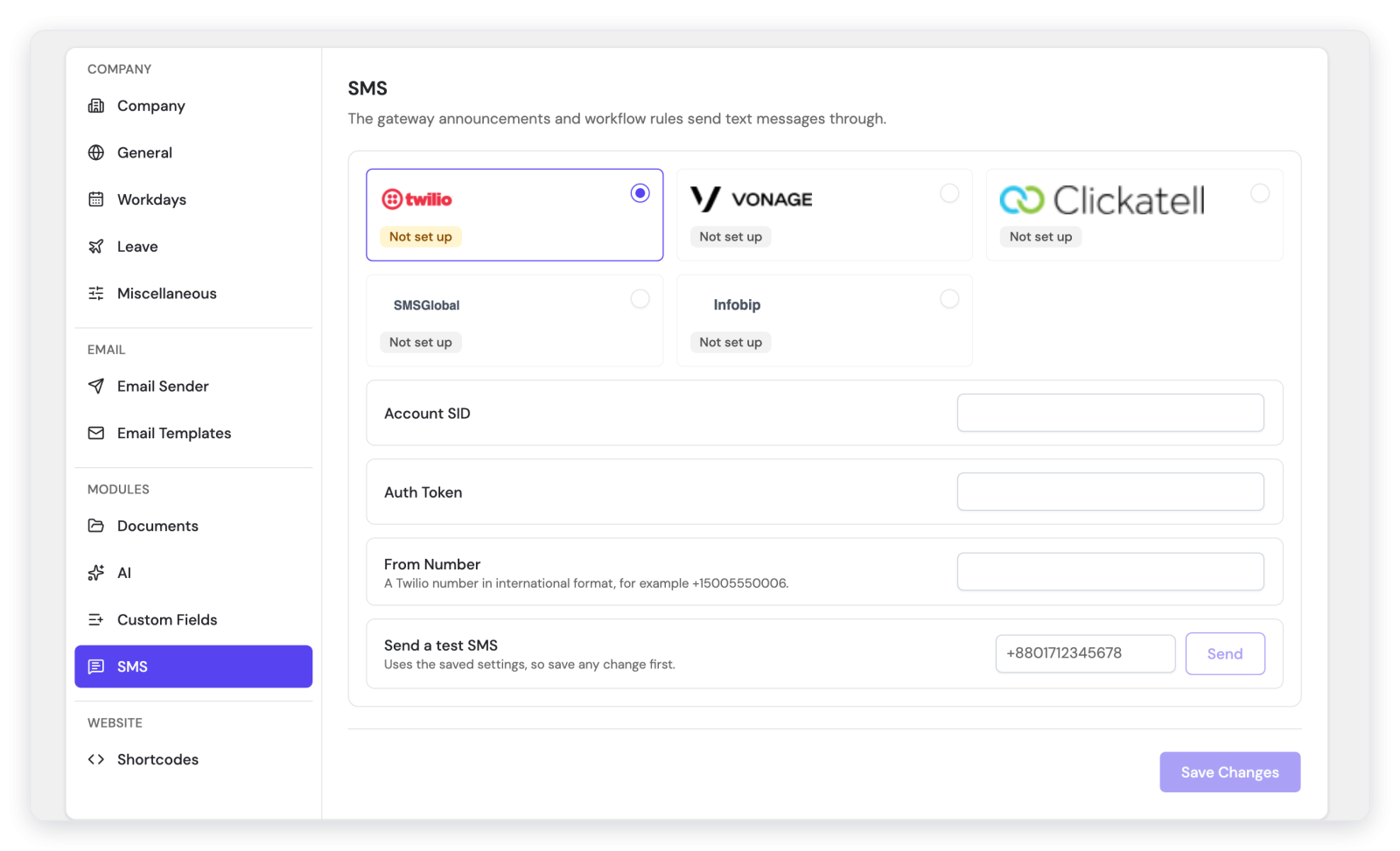
Step 2: Send a test message
- In Send a test SMS, type your own mobile number in international format, for example +15125550121.
- Click Send.
The test uses the saved settings. Save your changes before you send a test. If the message does not arrive, check the account details and the balance of your gateway account.
Send an announcement by SMS
- Make an announcement. See Announcements.
- Turn on Also send by SMS.
- Type the SMS text. FlyHR sends it as plain text, as written.
- Publish the announcement.
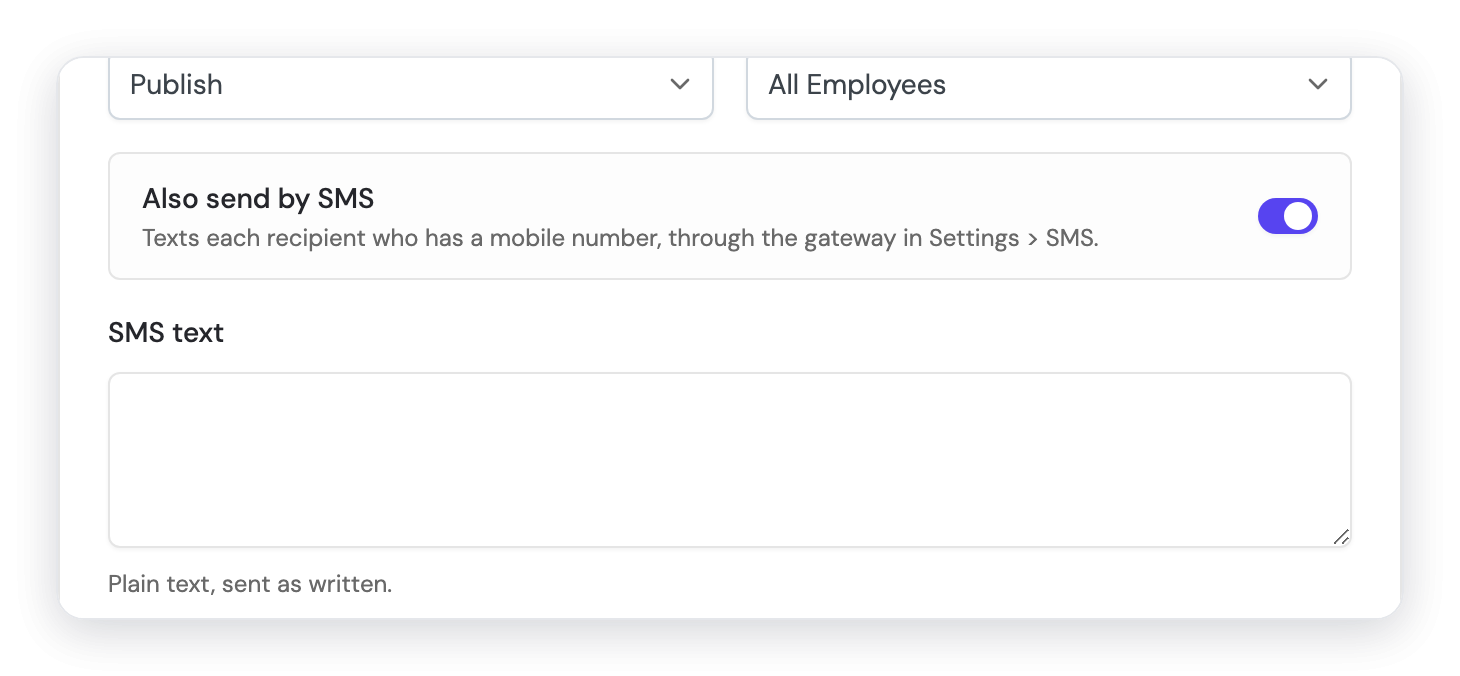
FlyHR texts each recipient who has a mobile number, one time, when you publish the announcement. It does not send a text for a draft.
Send SMS from a workflow
A workflow can send a text message when an employee is added, when leave is approved, or on the birthday of an employee. See Workflows.
The gateway fields
| Gateway | Fields |
|---|---|
| Twilio | Account SID, Auth Token, and From Number. The From Number is a Twilio number in international format, for example +15005550006. |
| Vonage | API Key, API Secret, and Sender ID. The Sender ID is a Vonage number or a sender name. |
| Clickatell | API Key. |
| SMSGlobal | API Key, API Secret, and Sender ID. |
| Infobip | Base URL (the URL of your Infobip account), API Key, and Sender. |