GETTING STARTED
EMPLOYEE REQUESTS
PAYROLL
REIMBURSEMENT
DOCUMENTS AND FIELDS
RECRUITMENT
AUTOMATION AND NOTIFICATIONS
RECRUITMENT
Shortcodes and the Job List Page
This feature is part of FlyHR Pro on the Agency plan.
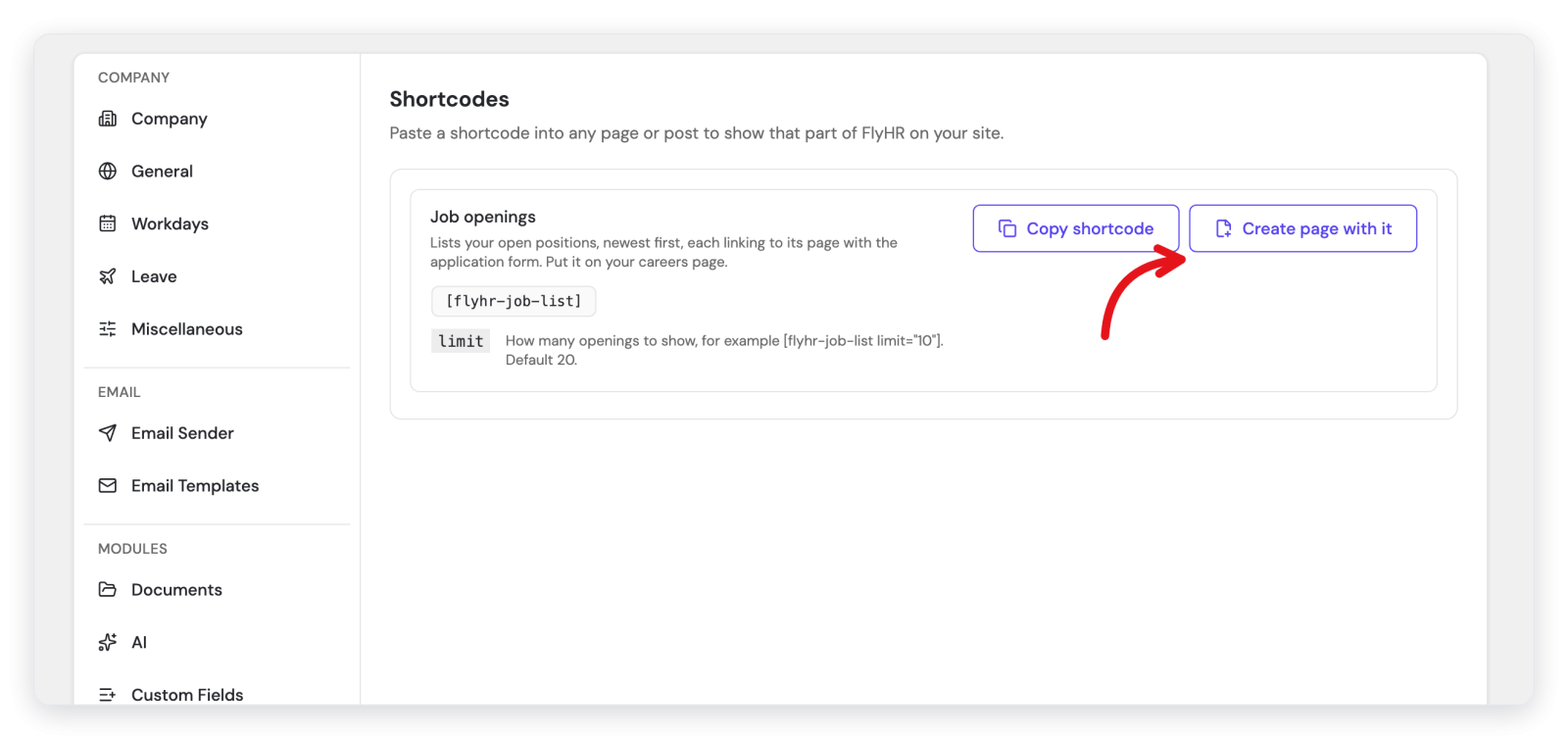
A shortcode shows a part of FlyHR on a page of your website. The Shortcodes section of the settings lists each shortcode that your site can use, with a button to copy it and a button to make a page with it.
The FlyHR Pro Recruitment module adds the [flyhr-job-list] shortcode. It shows your open job openings on your careers page, and each opening links to its own page with the application form. The free FlyHR plugin has no shortcodes, so the Shortcodes section shows only when the Recruitment module is on.
Before you start
- You must be a WordPress administrator or an HR manager.
- The Recruitment module must be on, and you must have at least one published job opening. See Job Openings.
- To make a page, you must be able to edit pages in WordPress.
Step 1: Open the Shortcodes section
- Go to FlyHR → Settings.
- In the list on the left, under Website, click Shortcodes.
Step 2: Put the shortcode on a page
Do one of these:
- Click Create page with it. WordPress opens a new page with the shortcode in it. Publish the page.
- Click Copy shortcode. Paste the shortcode into a page or a post, then update the page.
The row also shows the options of the shortcode, with an example.
Result
The page shows your open jobs with a search box and filters. Visitors open a job and apply on its page. For what visitors see and how applications arrive, see The Careers Page and Job Applications.
The shortcodes
| Shortcode | Added by | What it shows |
|---|---|---|
[flyhr-job-list] |
FlyHR Pro, Recruitment module | Your open positions, newest first. Each opening links to its page with the application form. Option: limit, the number of openings to show, for example [flyhr-job-list limit="10"]. The default is 20. |