GETTING STARTED
EMPLOYEE REQUESTS
PAYROLL
REIMBURSEMENT
DOCUMENTS AND FIELDS
RECRUITMENT
AUTOMATION AND NOTIFICATIONS
EMPLOYEE REQUESTS
Resignation Requests
This feature is part of FlyHR Pro on the Business and Agency plans.
An employee gives notice from their profile, with a reason and the last working day. FlyHR tells the HR managers by email. An HR manager accepts or declines the resignation.
Before you start
- The Employee Requests module must be on. See Install FlyHR Pro.
- To answer resignations, you must be a WordPress administrator or an HR manager.
Resign (employees)
- Click your photo at the top right, then click My profile.
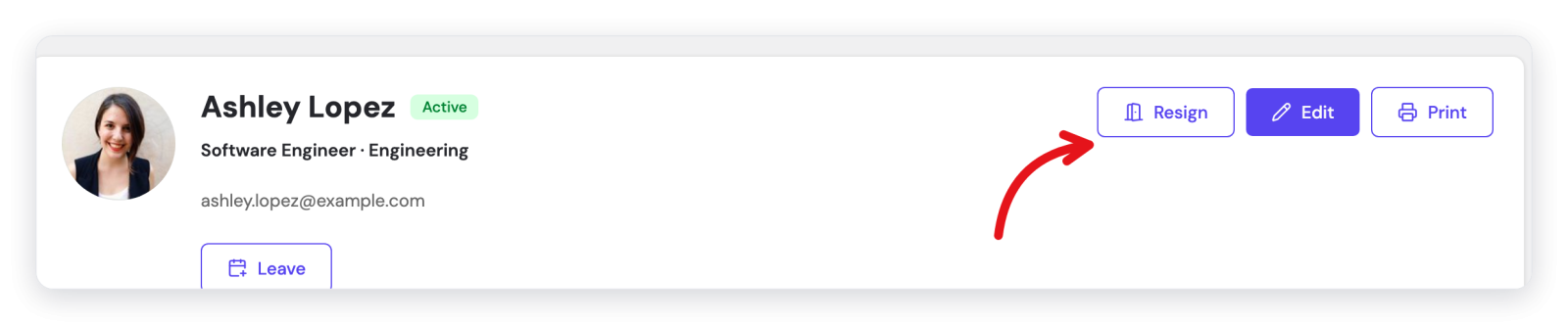
- Click Resign at the top of your profile.
- Select the Reason.
- Select the Last working day.
- Optional: type a Message to your managers.
- Click Submit.
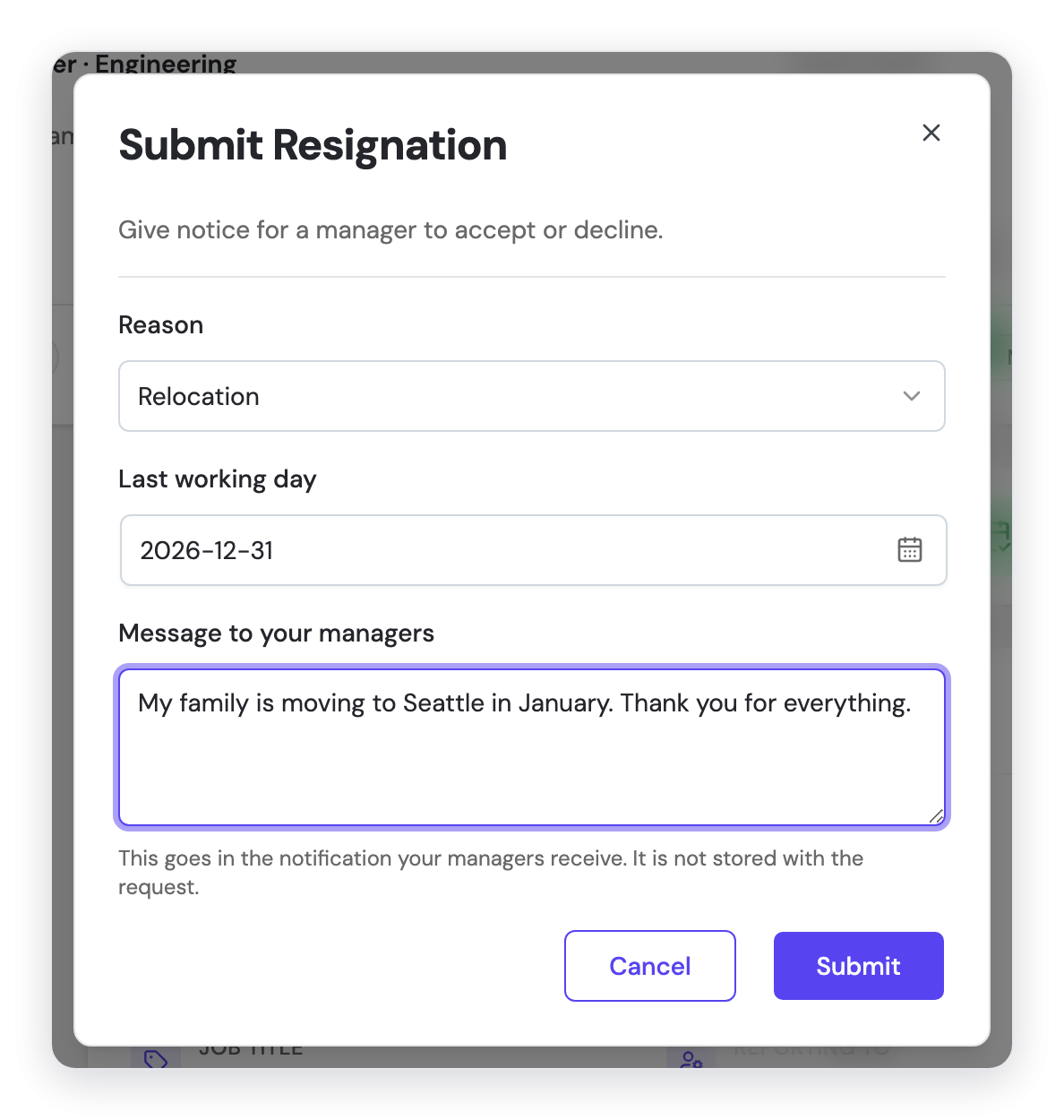
FlyHR shows "Resignation submitted." and sends the New Resignation email to the HR managers. The message goes only in this email. FlyHR does not keep it with the request.
While the resignation is pending, the button changes to Withdraw Resignation. Click it, then click Withdraw to take the resignation back. You can submit a new one later.
| Reason |
|---|
| Higher pay |
| Better opportunity |
| Other employment |
| Need a change in career path |
| Personality conflicts |
| Relocation |
| Retirement |
| Personal reason |
Answer a resignation (HR managers)
- In the top menu, open People.
- Click Requests.
- Click the Resignation tab.
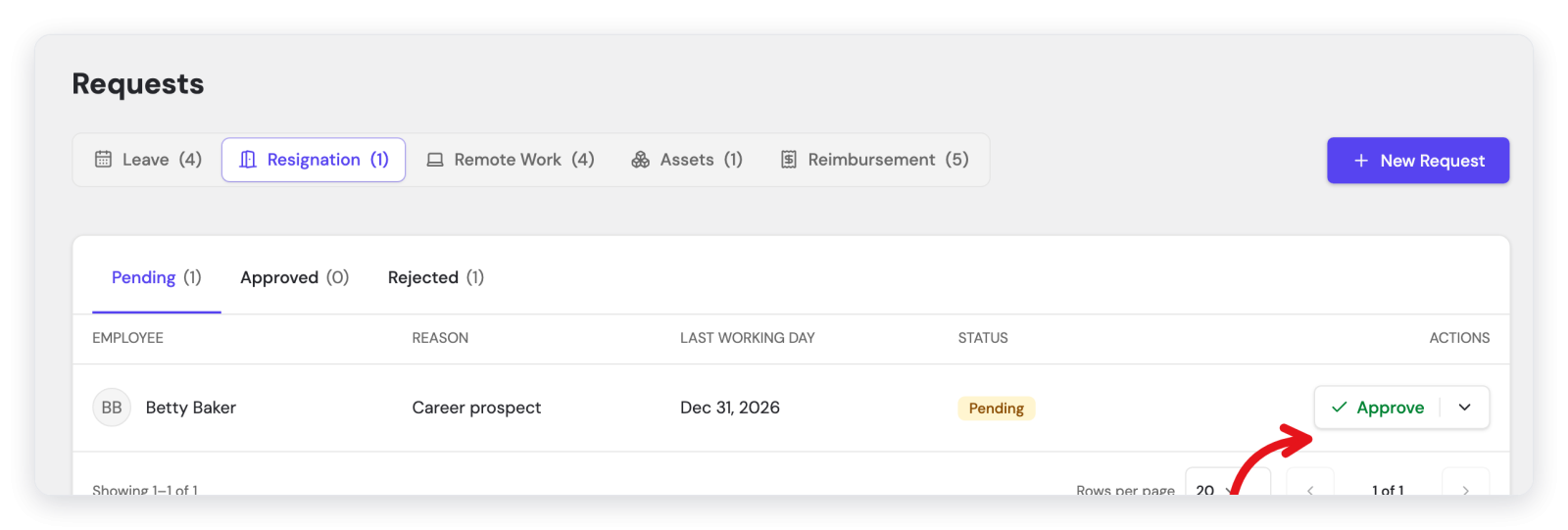
- To accept, click Approve in the row.
- To decline, click the arrow next to Approve, then click Reject.
The profile of the employee shows Resignation Approved after the approval.
Caution: Approving a resignation does not end the employment. On the last working day, change the status of the employee to Resigned. See Change the Status of an Employee.
Add a resignation for an employee
If an employee resigns by letter or by email, add the resignation for them:
- On the Requests page, click New Request.
- Select the employee, the reason, and the last working day.
- Click Submit.