PEOPLE
LEAVE
REPORTS
LEAVE
Leave Years
A leave year (financial year) is the period that FlyHR counts leave in, for example January 1 to December 31, 2026. Each leave policy, entitlement, and request belongs to one leave year.
Add the next leave year before the current one ends. Then you can give leave for the new year in time.
Before you start
- You must be a WordPress administrator or an HR manager.
- The setup wizard adds your first leave year. See Set Up FlyHR with the Setup Wizard.
Step 1: Open Financial Years
- In the top menu, open Leave.
- Click Financial Years.
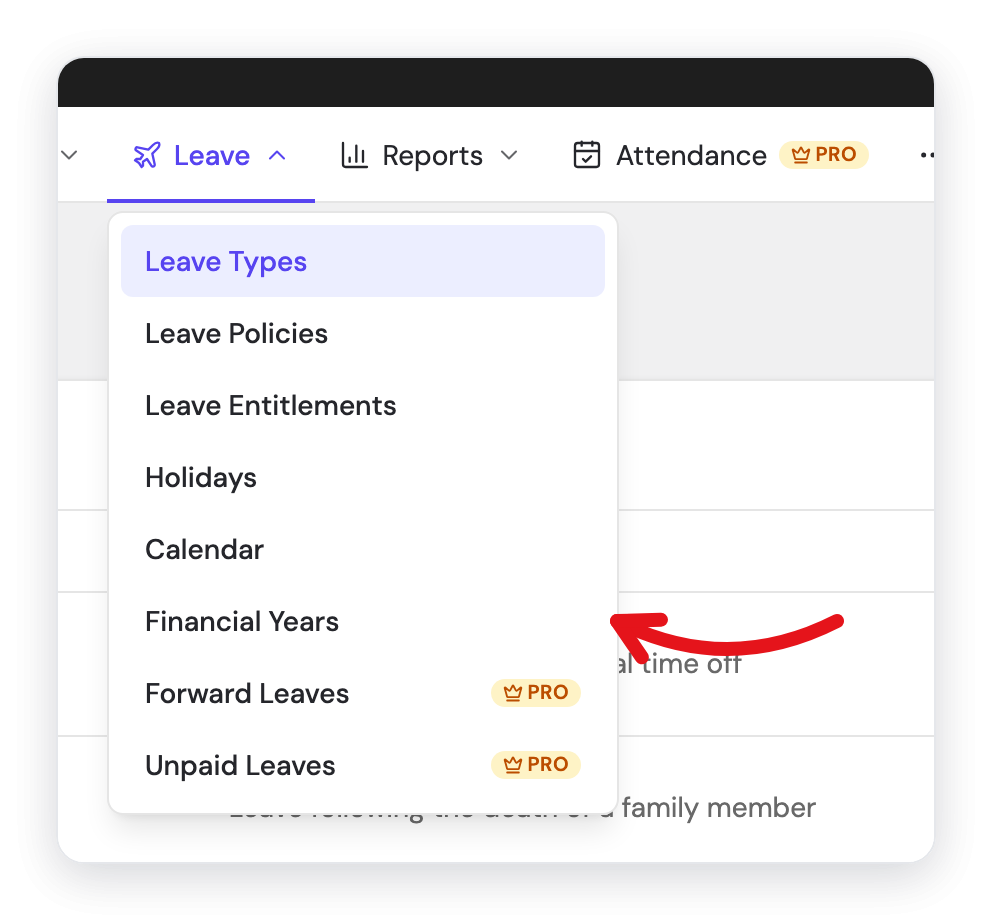
The page shows each leave year in a row.
Step 2: Add a leave year
- Click Add New. FlyHR adds an empty row.
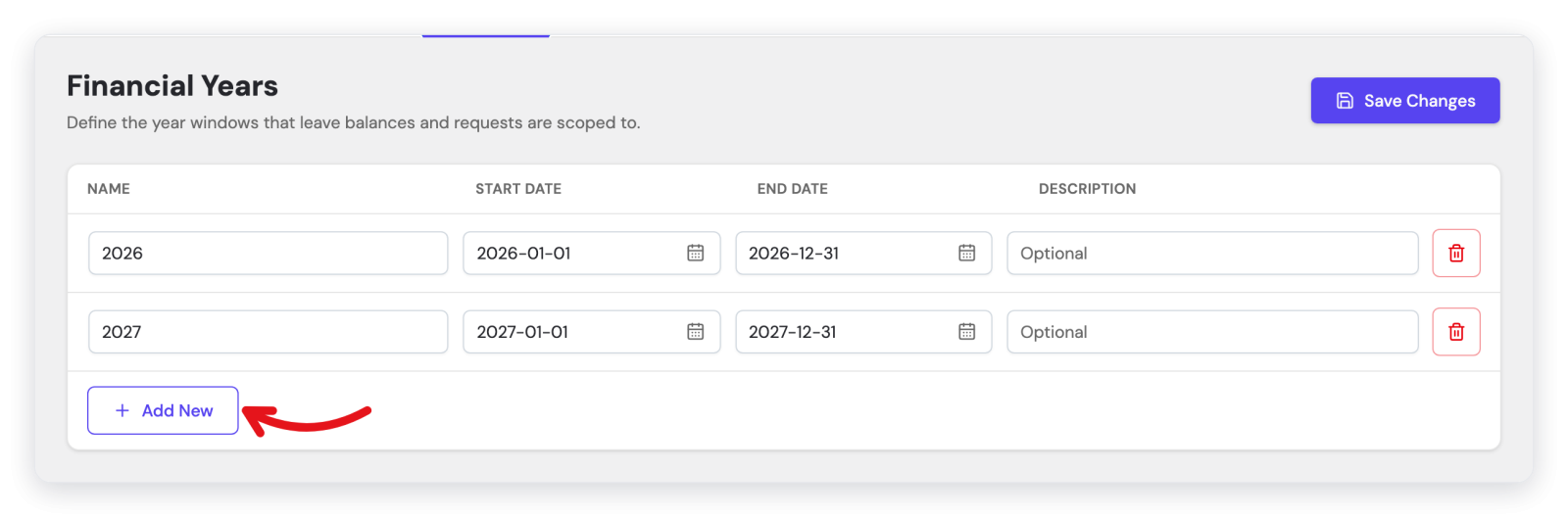
- Type the Name, for example 2028.
- Select the Start date and the End date.
- Optional: type a Description.
- Click Save Changes.
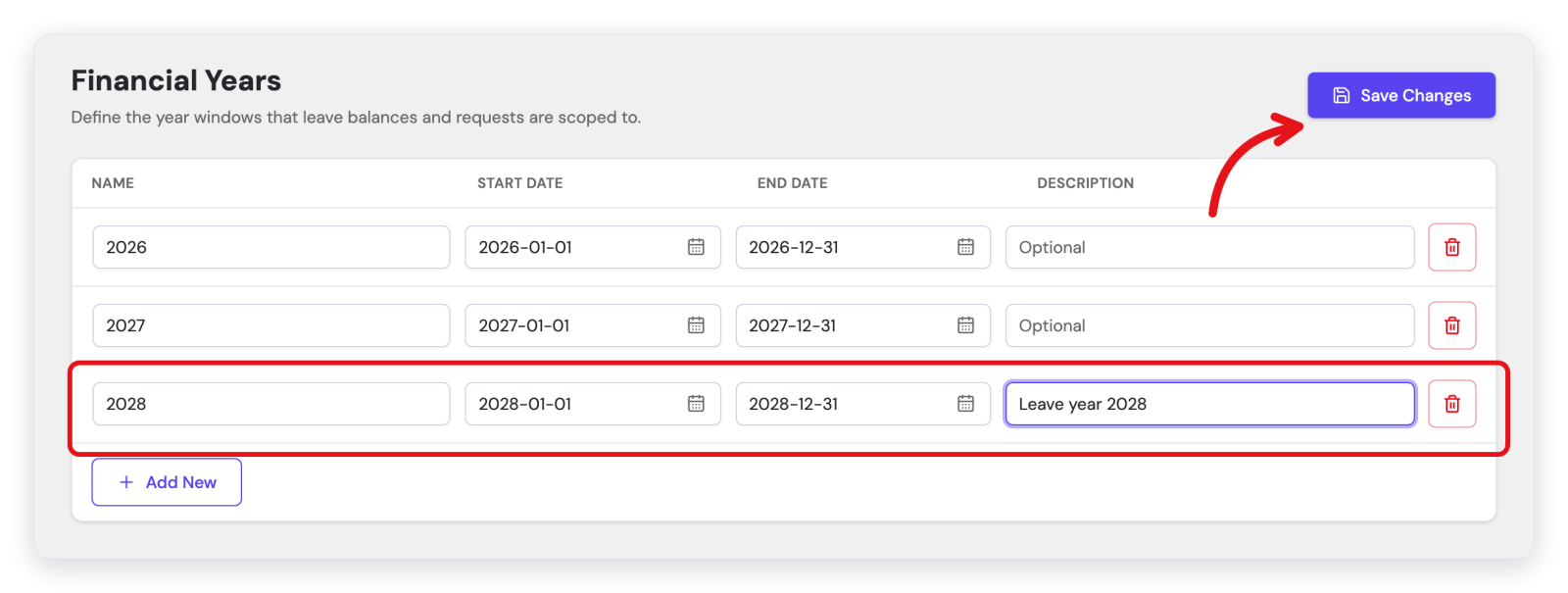
FlyHR shows "Financial years saved." FlyHR saves all the rows on the page at the same time.
Change or remove a leave year
- To change a leave year, change the values in its row, then click Save Changes.
- To remove a leave year, click the trash icon at the end of its row, then click Save Changes.
You must keep at least one leave year.
Rules for leave years
FlyHR checks each row when you save:
| Rule | Message |
|---|---|
| Each row needs a name. | Please give a financial year name on row #N. |
| Each row needs a start date and an end date. | Start and end date are required on row #N. |
| The end date must be after the start date. | End date must be greater than start date on row #N. |
| Two rows cannot have the same name. | Duplicate financial year name |
You can also add a leave year from the leave policy form and the leave request form. Click Add new next to Financial Year.
The fields
| Field | What it means |
|---|---|
| Name | The name of the leave year, for example 2026 or FY 2026. It shows in the policy, entitlement, and request lists. |
| Start date | The first day of the leave year. |
| End date | The last day of the leave year. |
| Description | An optional note. |
Was this page helpful?