PEOPLE
LEAVE
REPORTS
PEOPLE
Departments
A department is a team in your company, for example Engineering or Sales. Each employee belongs to one department. A department can have a head and a parent department.
FlyHR uses departments in the employee list filters, in leave policies, in announcements, in reports, and in the org chart.
Before you start
- You must be a WordPress administrator or an HR manager.
Step 1: Open the Departments page
- Go to People → Departments.
- Click Add Department.
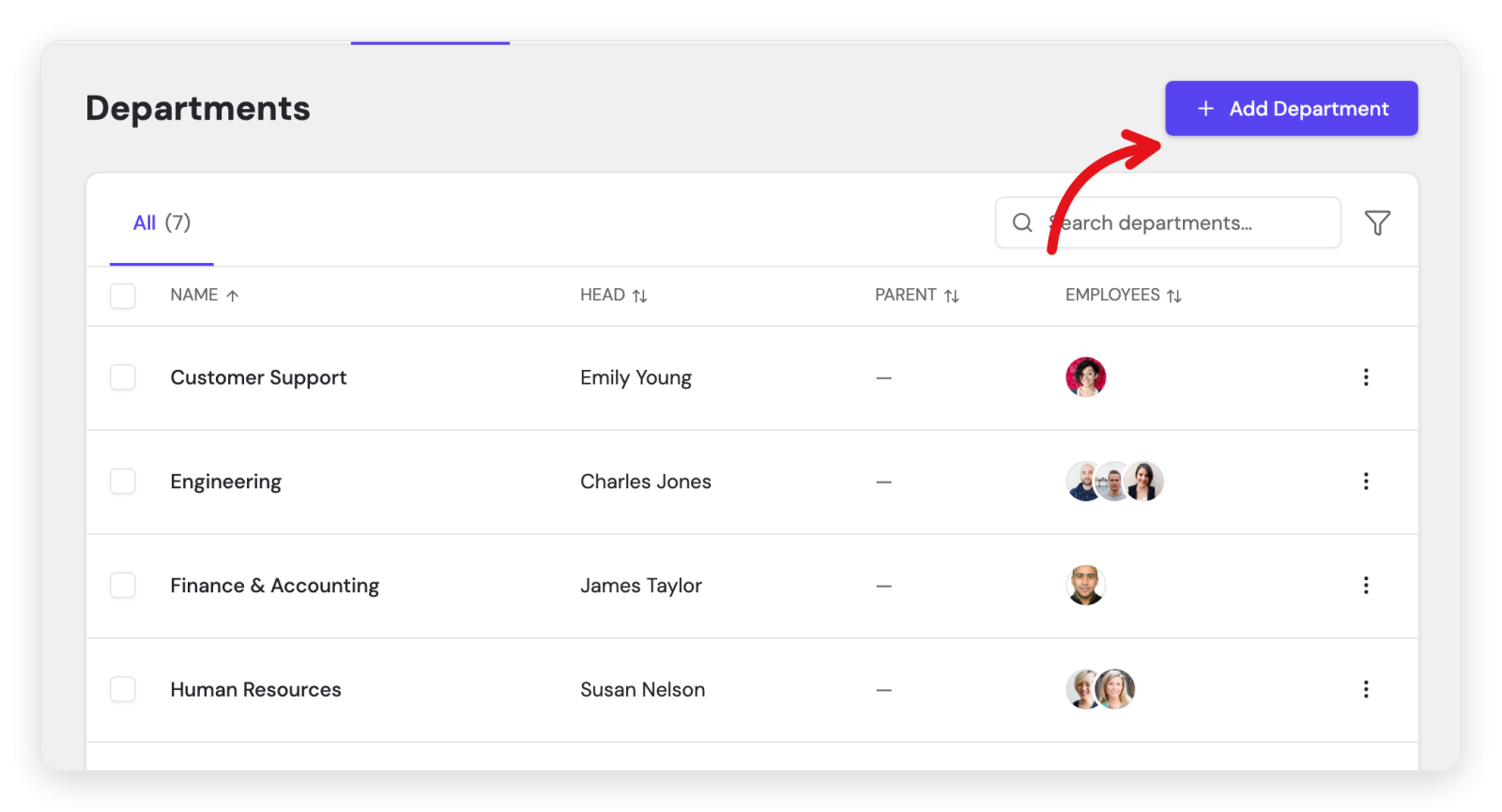
The list shows the name, the head, the parent, and the employees of each department.
Step 2: Add the department
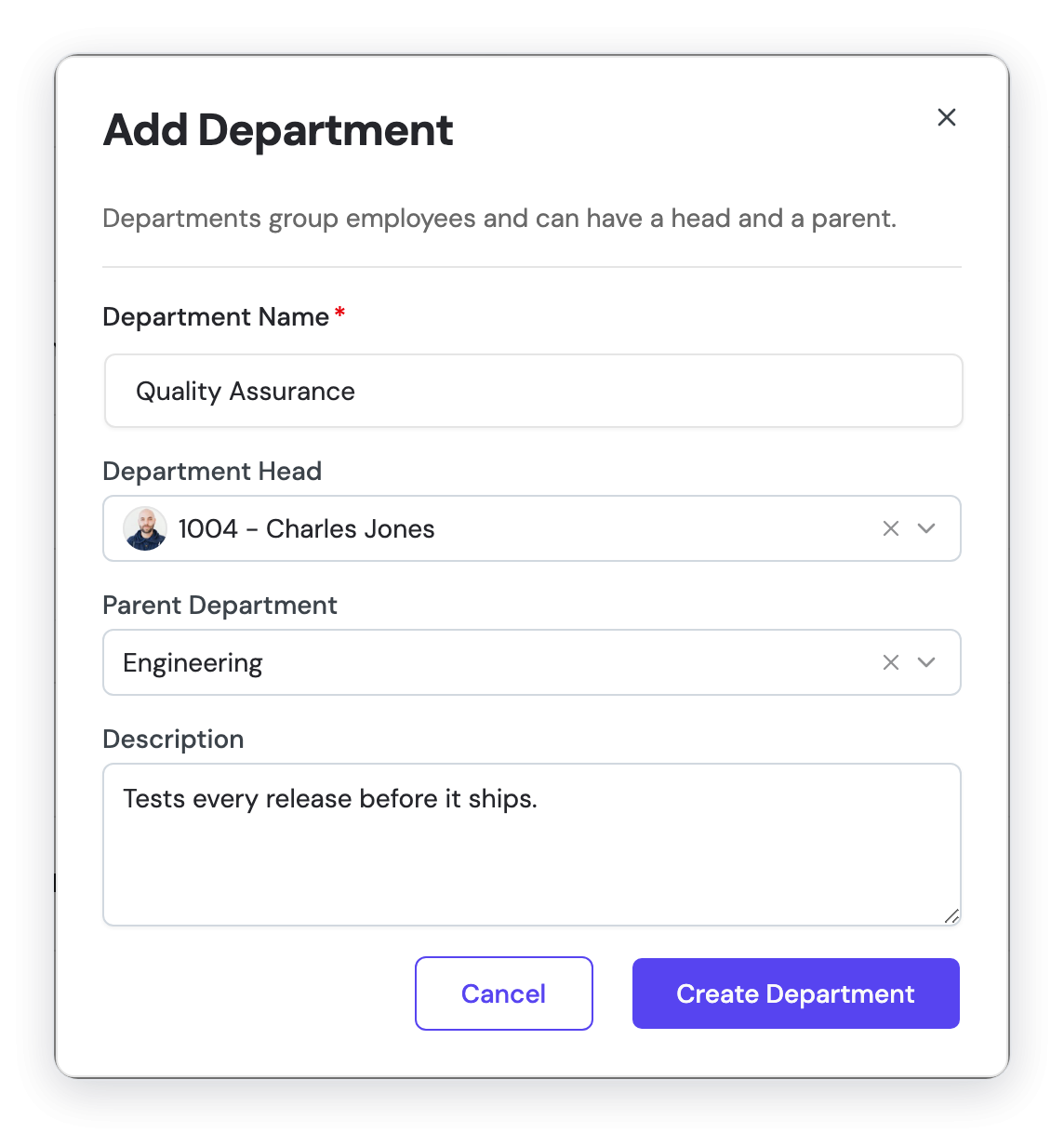
- Type the Department Name.
- Optional: select the Department Head. This person leads the team.
- Optional: select a Parent Department to put this team under another team.
- Optional: type a Description.
- Click Create Department.
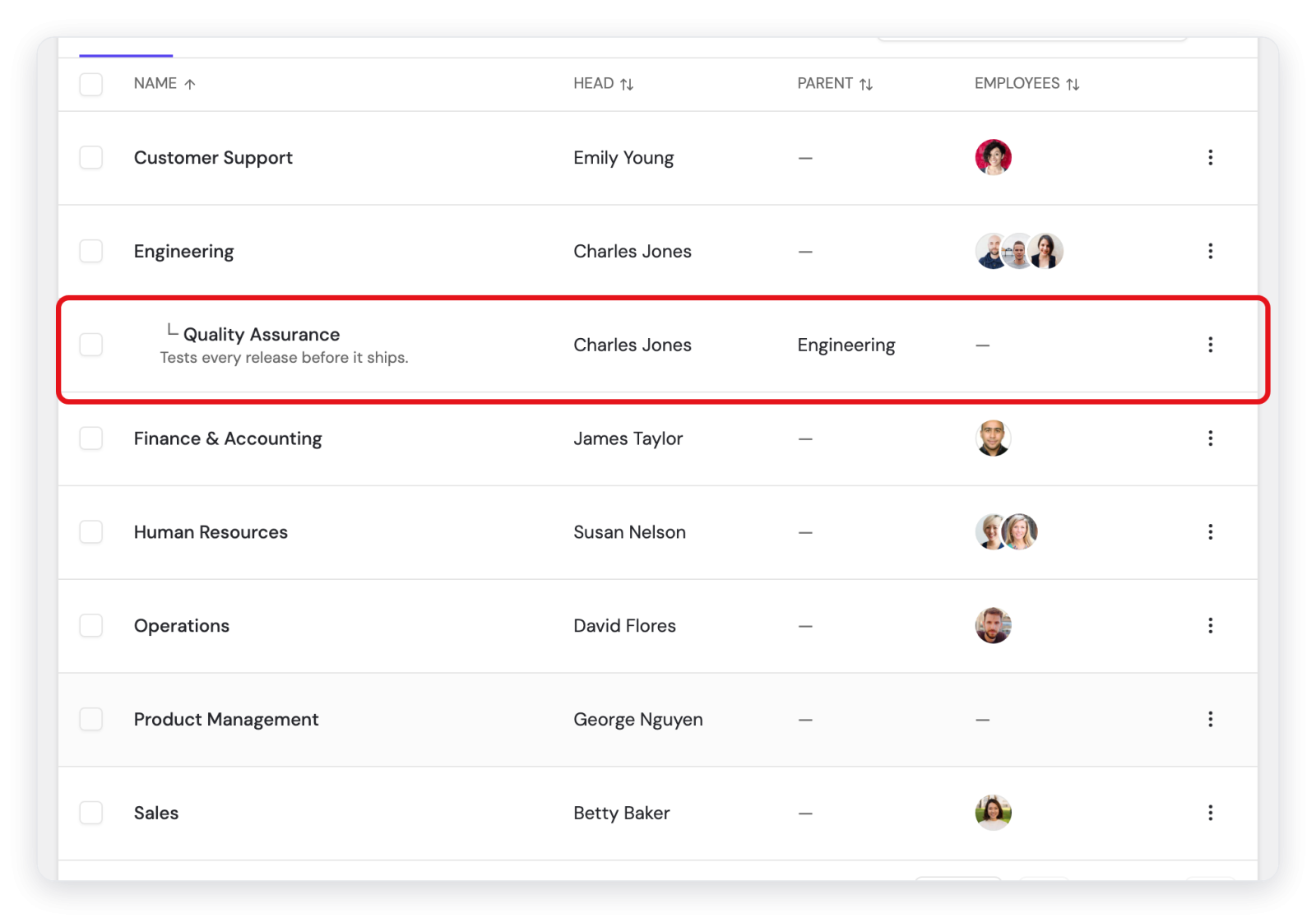
FlyHR shows "Department created." A department with a parent shows under its parent in the list.
You can also add a department while you add an employee. Click + Add new above the Department field.
Edit a department
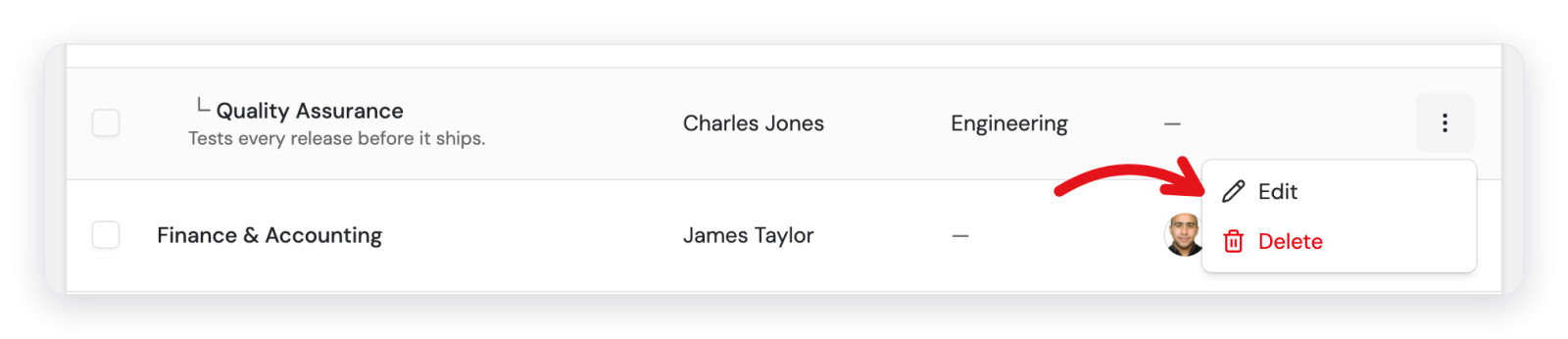
- On the row of the department, click the three-dot menu.
- Click Edit.
- Change the fields, then click Update Department.
Delete a department
- On the row of the department, click the three-dot menu, then click Delete.
- Click Delete to confirm.
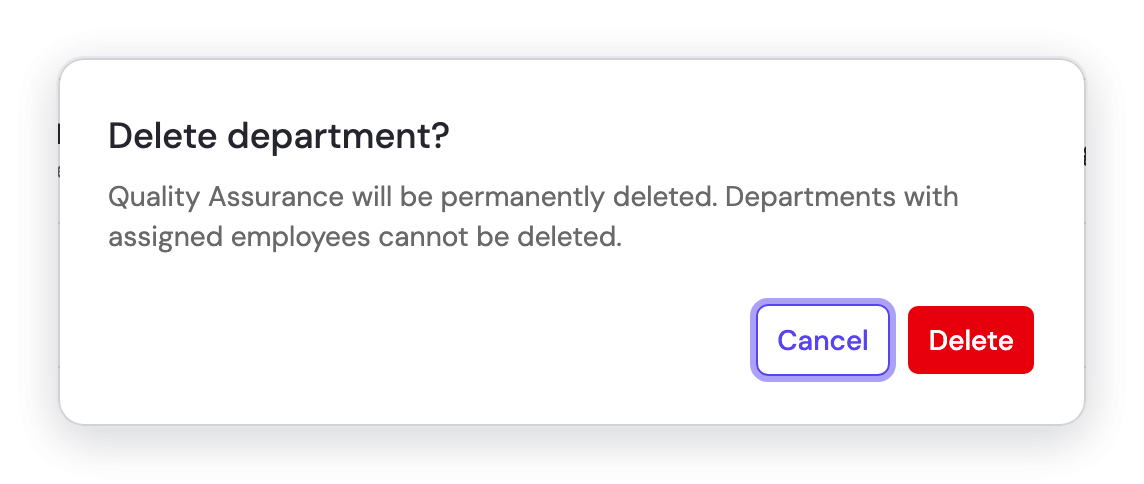
You cannot delete a department that has employees. First move the employees to another department. See Update the Job Information of an Employee.
To delete many departments, select the box on the left of each row, then click Delete in the bar that opens.
The department head
The department head:
- Is the top of the team in the org chart. See Org Chart.
- Can approve or reject the leave requests of the team.
- Can add performance reviews for the people of the team.
For all the access of a department head, with screenshots, see Department leads.
The fields
| Field | Necessary | What it means |
|---|---|---|
| Department Name | Yes | The name of the team. |
| Department Head | No | The employee who leads the team. |
| Parent Department | No | The team that this team belongs to. |
| Description | No | A short text about the team. It shows under the name in the list. |