PEOPLE
LEAVE
REPORTS
PEOPLE
Performance Reviews and Goals
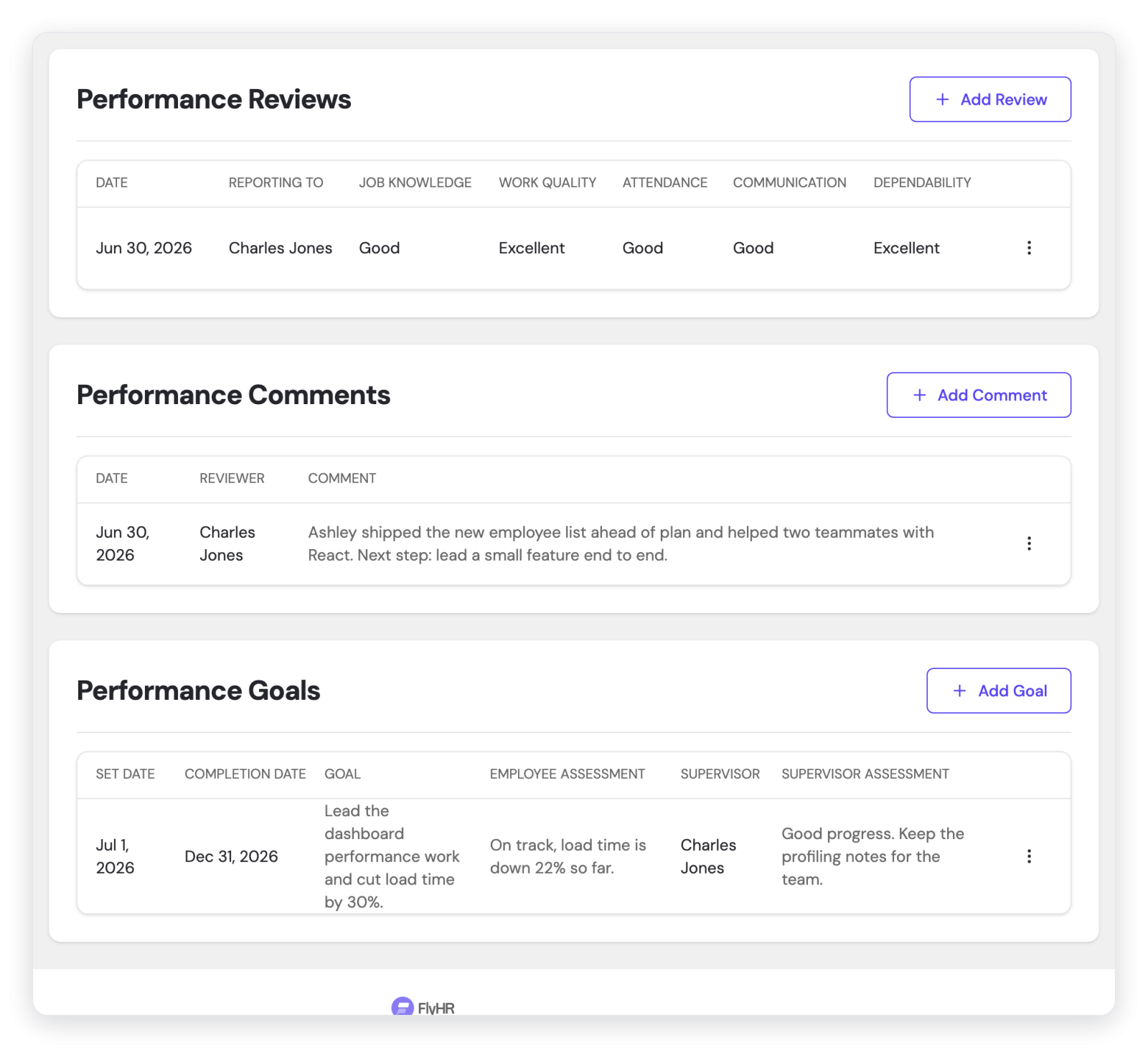
Record how an employee works on the Performance tab of their profile. The tab has three parts:
- Performance Reviews: scores on five criteria, on a set date.
- Performance Comments: short written feedback from a reviewer.
- Performance Goals: what the employee must achieve, and by when.
Before you start
- You must be a WordPress administrator or an HR manager.
Step 1: Open the Performance tab
- Go to People → All Employees.
- Click the name of the employee.
- Click the Performance tab.
Step 2: Add a review
- In the Performance Reviews part, click Add Review.
- Check the Date.
- Select the reviewer in Reporting To.
- Give a score for each criterion: Job Knowledge, Work Quality, Attendance, Communication, and Dependability.
- Click Save.
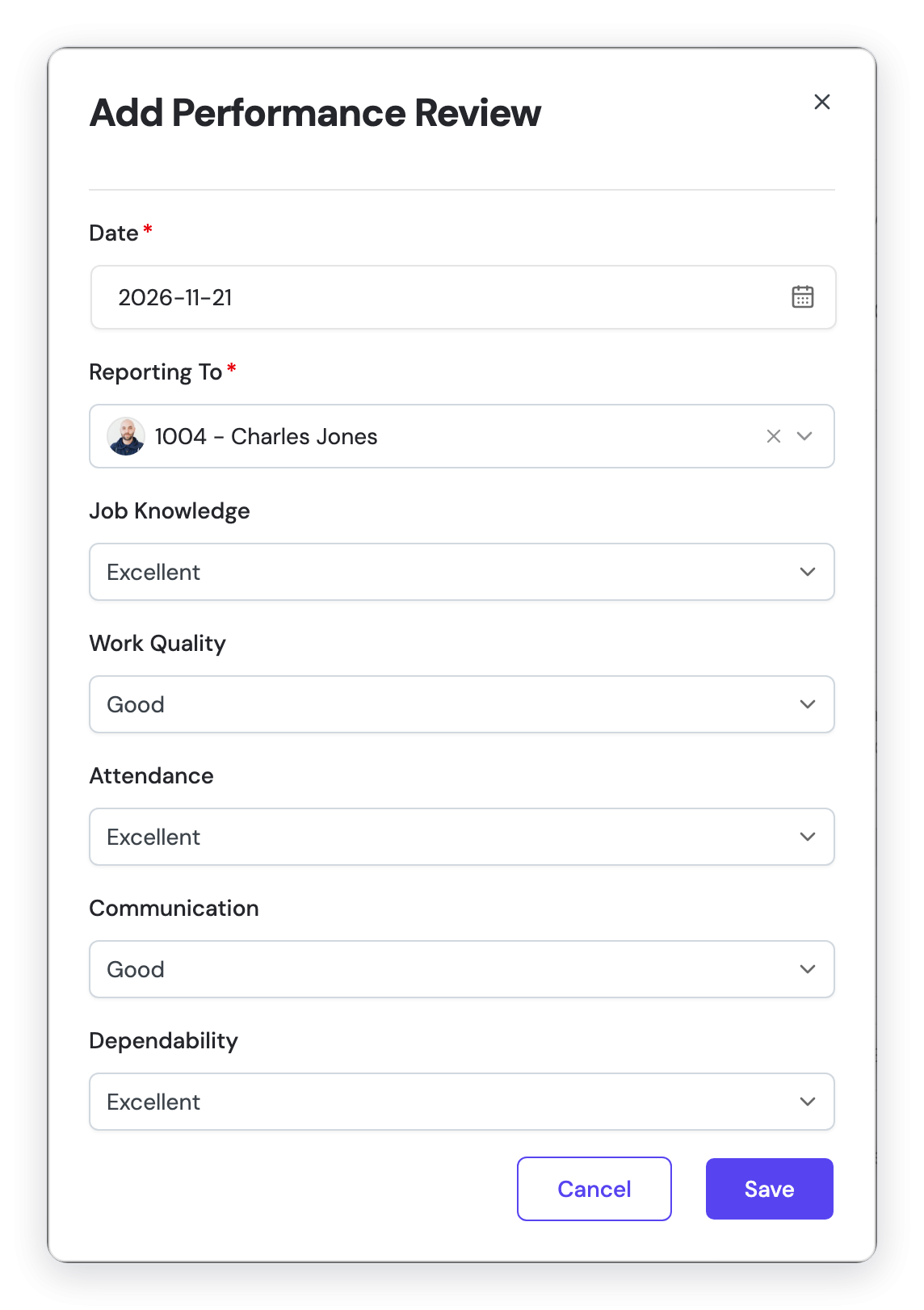
Each score is Very Bad, Poor, Average, Good, or Excellent.
Step 3: Add a comment
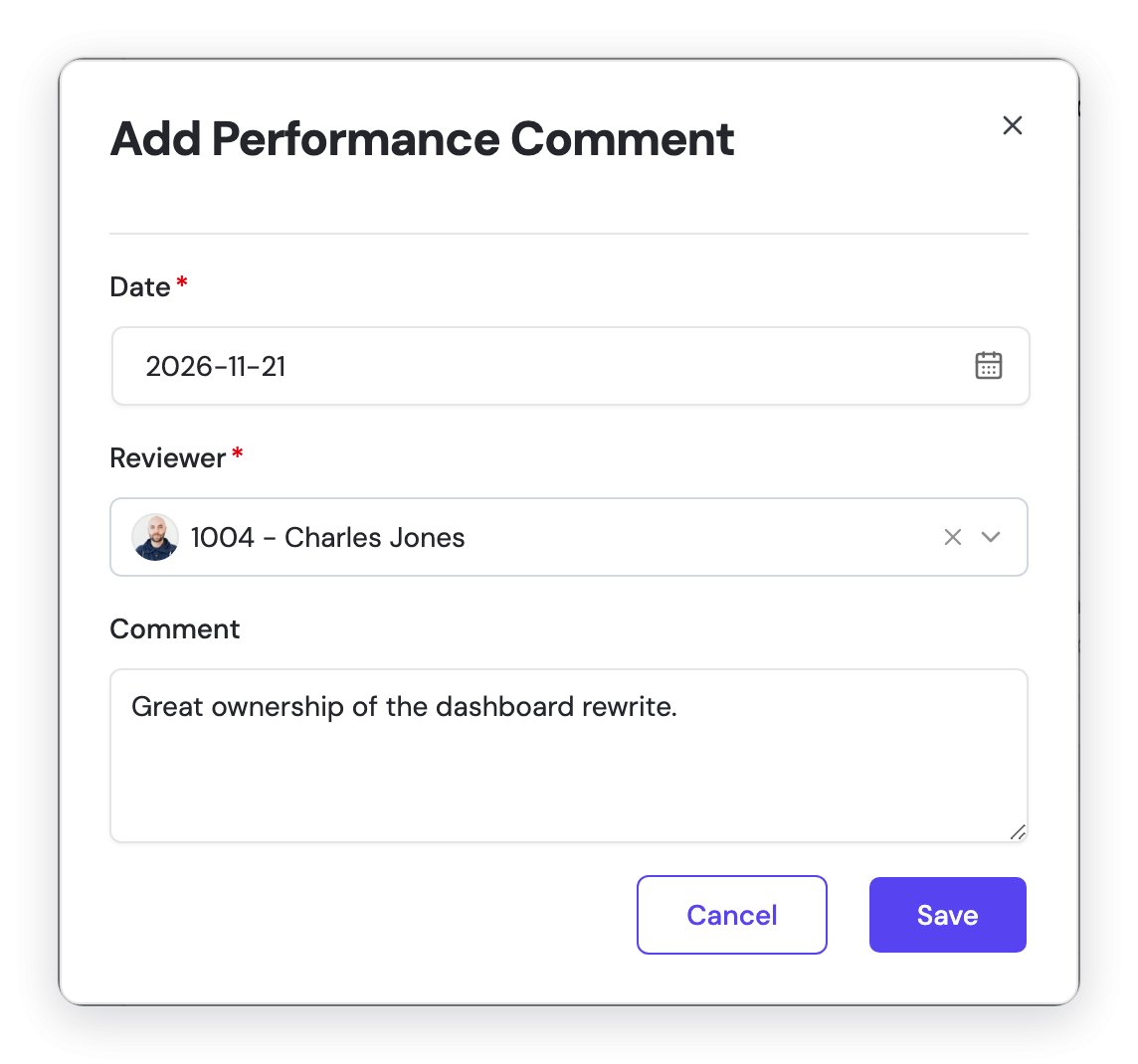
- In the Performance Comments part, click Add Comment.
- Check the Date and select the Reviewer.
- Type the Comment.
- Click Save.
Step 4: Add a goal
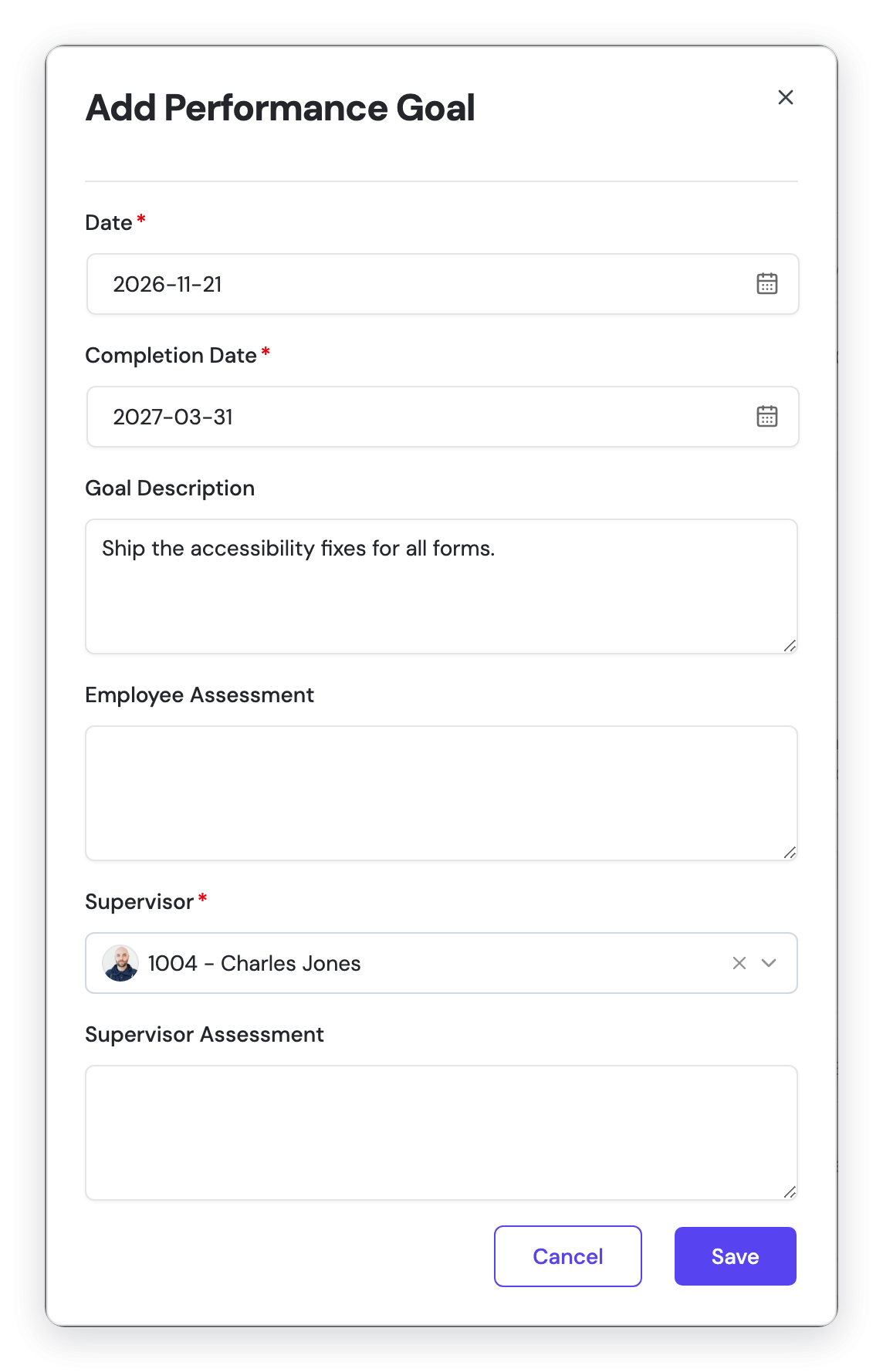
- In the Performance Goals part, click Add Goal.
- Check the Date. This is the day that you set the goal.
- Select the Completion Date. It cannot be before the set date.
- Type the Goal Description.
- Select the Supervisor.
- Optional: type the Employee Assessment and the Supervisor Assessment. You can add them later, when you check the goal.
- Click Save.
Delete a record
On the row of the review, comment, or goal, click the three-dot menu, then click Delete. Confirm the delete. You cannot undo it.
The fields
| Field | Part | Necessary | What it means |
|---|---|---|---|
| Date | All | Yes | The day of the review or comment, or the day that you set the goal. |
| Reporting To | Review | Yes | The person who reviews the employee. |
| Job Knowledge, Work Quality, Attendance, Communication, Dependability | Review | No | The scores, from Very Bad to Excellent. |
| Reviewer | Comment | Yes | The person who writes the comment. |
| Comment | Comment | No | The feedback. |
| Completion Date | Goal | Yes | The day that the goal must be done. |
| Goal Description | Goal | No | What the employee must achieve. |
| Employee Assessment | Goal | No | How the employee thinks the goal went. |
| Supervisor | Goal | Yes | The person who checks the goal. |
| Supervisor Assessment | Goal | No | How the supervisor thinks the goal went. |
Was this page helpful?