PEOPLE
LEAVE
REPORTS
SETTINGS
Audit Log
The Audit Log records each change in FlyHR: who made the change, when, and what changed. Use it to find out who edited an employee, a leave policy, or a setting.
FlyHR records changes to employees, job history, departments, designations, office locations, leave types, leave policies, leave requests, leave entitlements, holidays, leave years, announcements, notes, performance records, HR roles, and settings. FlyHR Pro modules also write to the Audit Log.
Before you start
- You must be a WordPress administrator. HR managers and employees do not see the Audit Log.
Step 1: Open the Audit Log
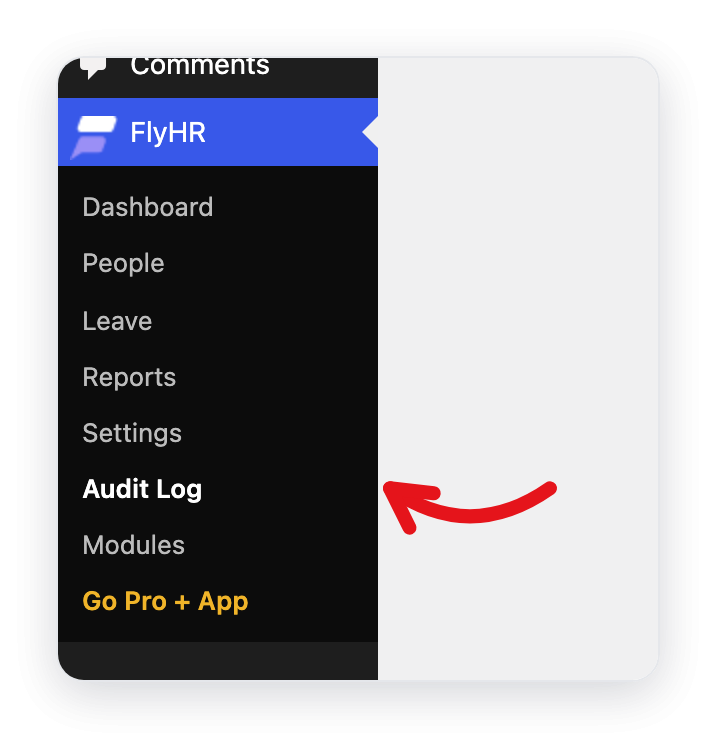
In your WordPress admin, go to FlyHR → Audit Log.
Step 2: Read the log
The cards at the top show the number of entries:
| Card | What it counts |
|---|---|
| Total | All entries in the log |
| Today | The entries of today |
| Added | The entries for new items |
| Edited | The entries for changed items |
| Deleted | The entries for deleted items |
Under the cards, the log shows the newest entries first, in groups by day (Today, Yesterday, then the date). Each entry shows:
- the person who made the change
- what changed, for example "Emily Young employee compensation has been created"
- the section, for example HRM / Employee
- the type of change: Added, Edited, or Deleted
- the time
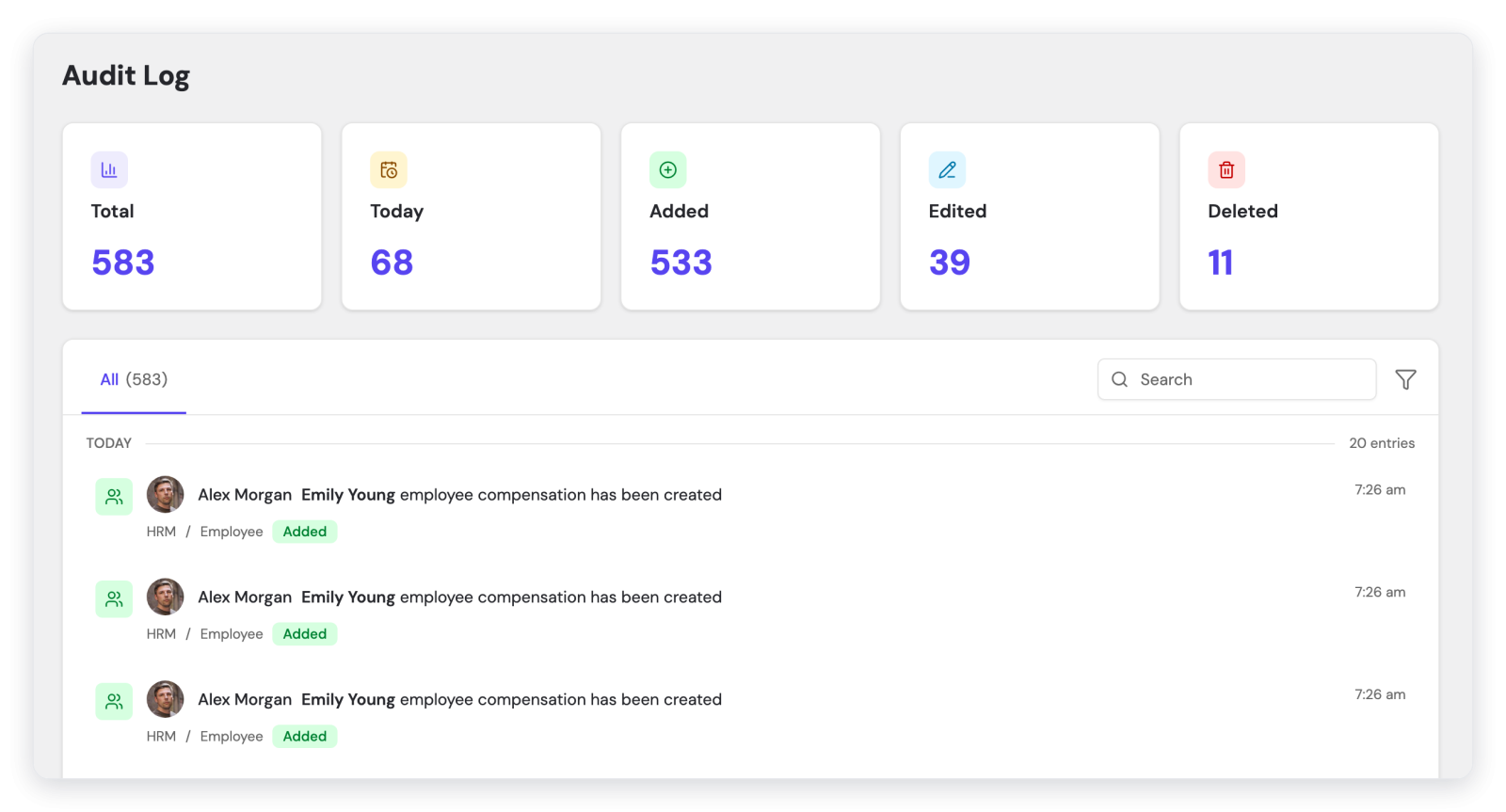
The log shows 20 entries at a time. To see older entries, click Load more at the bottom.
Step 3: Find an entry
- To find an entry by its text, type a word in Search. For example, type the name of an employee.
- To filter the log, click the filter icon. Then:
- Select a Section, for example Leave. The list shows only the sections that have entries.
- Select a Date range.
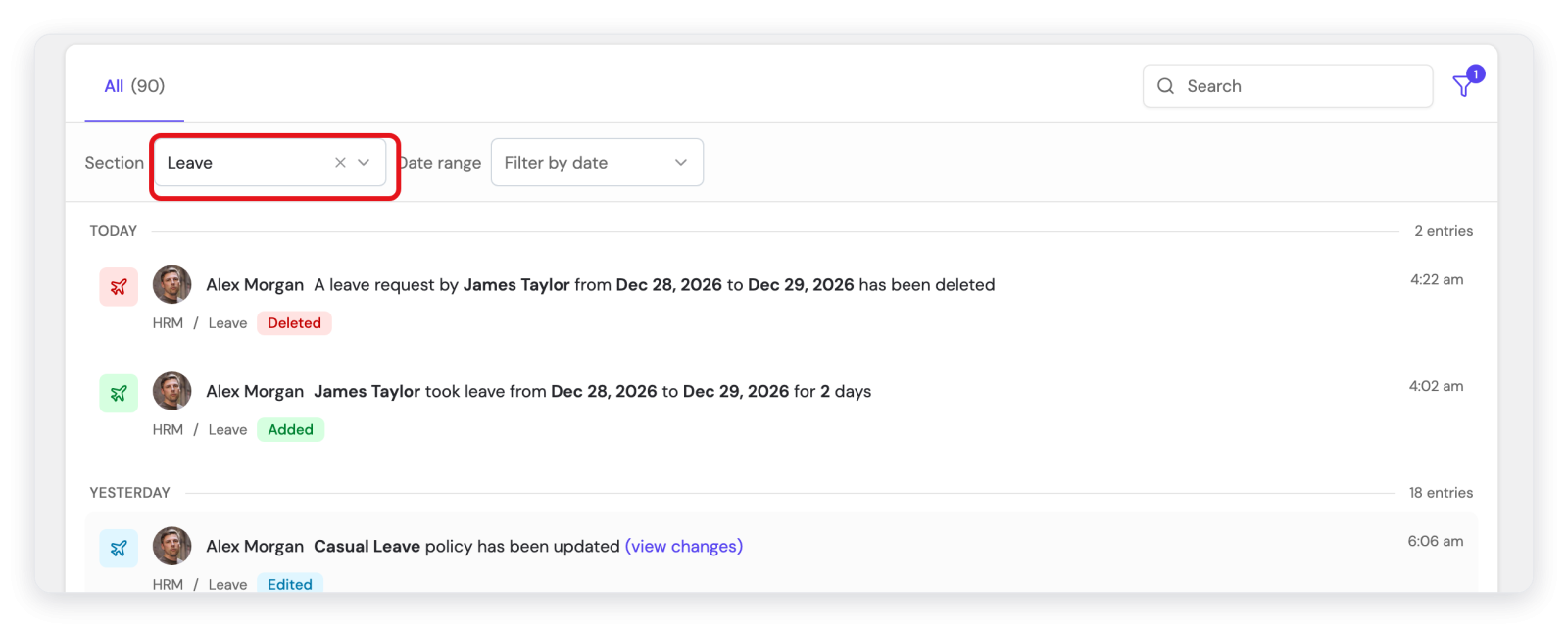
To remove a filter, click the x in the field.
Step 4: See the old and new values
An entry for a change shows (view changes) after its text. Click it. The Log changes window shows each field that changed, with the Old Value and the New Value.
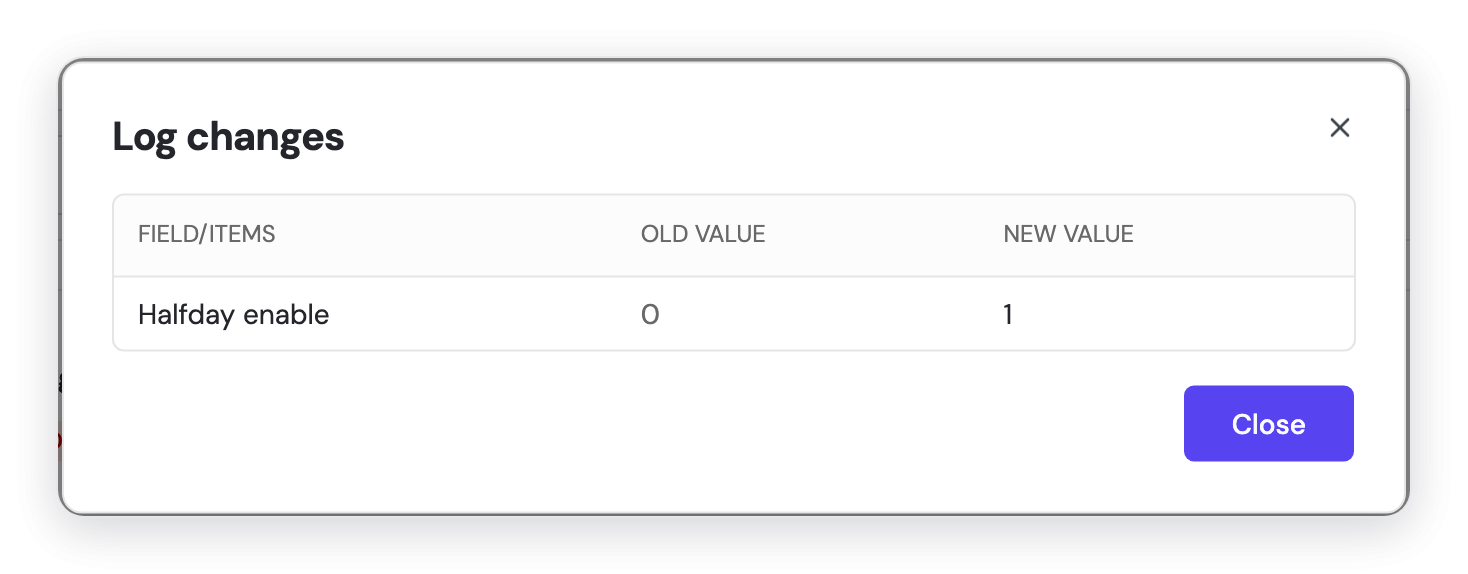
Click Close to go back to the log.