PEOPLE
LEAVE
REPORTS
PEOPLE
Designations
A designation is a job title, for example Software Engineer or HR Manager. Each employee has one designation. On the employee form, this field is called Job Title.
FlyHR uses designations in the employee list filters, in leave policies, in announcements, and in reports.
Before you start
- You must be a WordPress administrator or an HR manager.
Step 1: Open the Designations page
- Go to People → Designations.
- Click Add Designation.
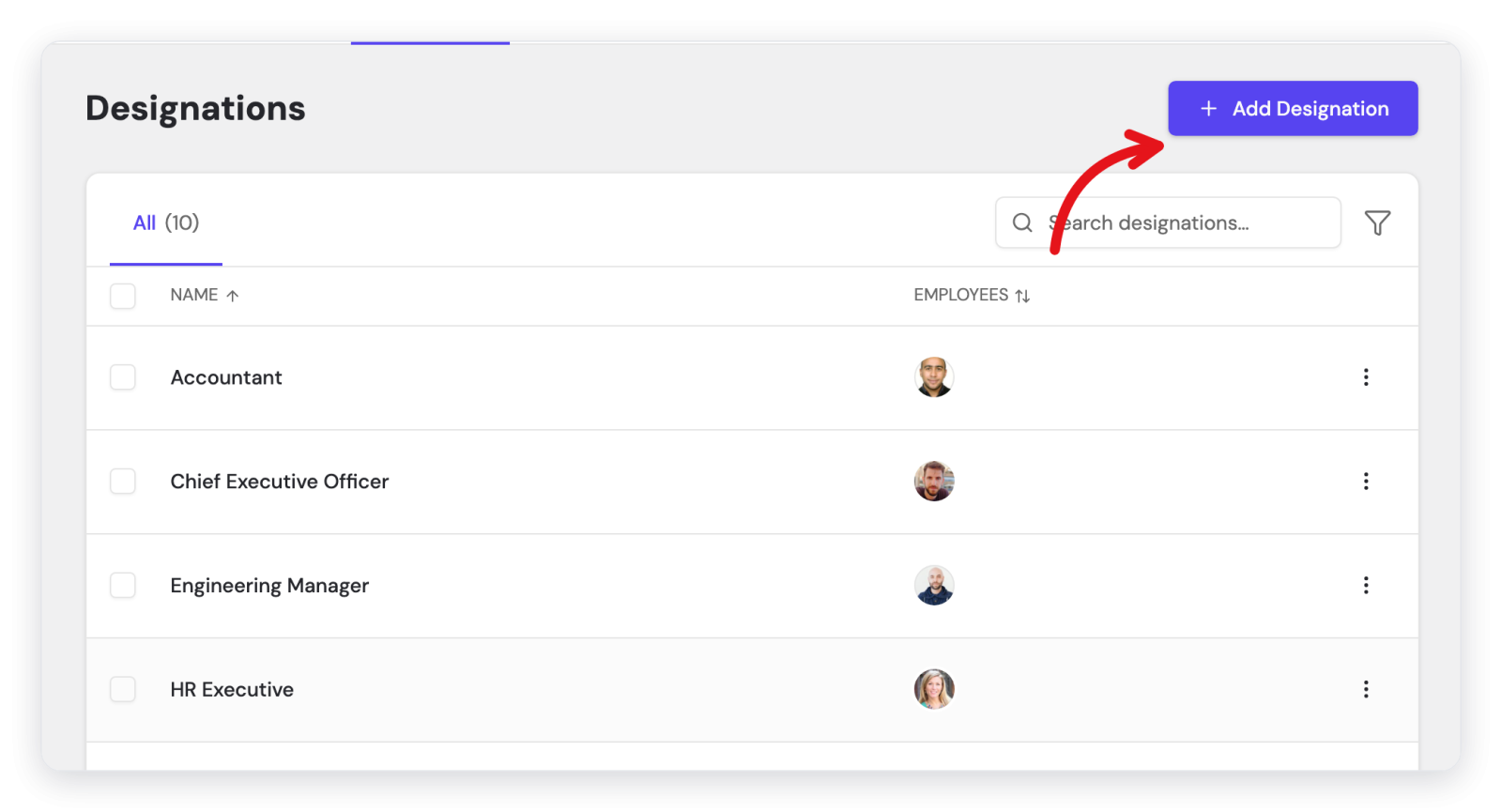
The list shows each designation and the employees who have it.
Step 2: Add the designation
- Type the Designation Name.
- Optional: type a Description.
- Click Create Designation.
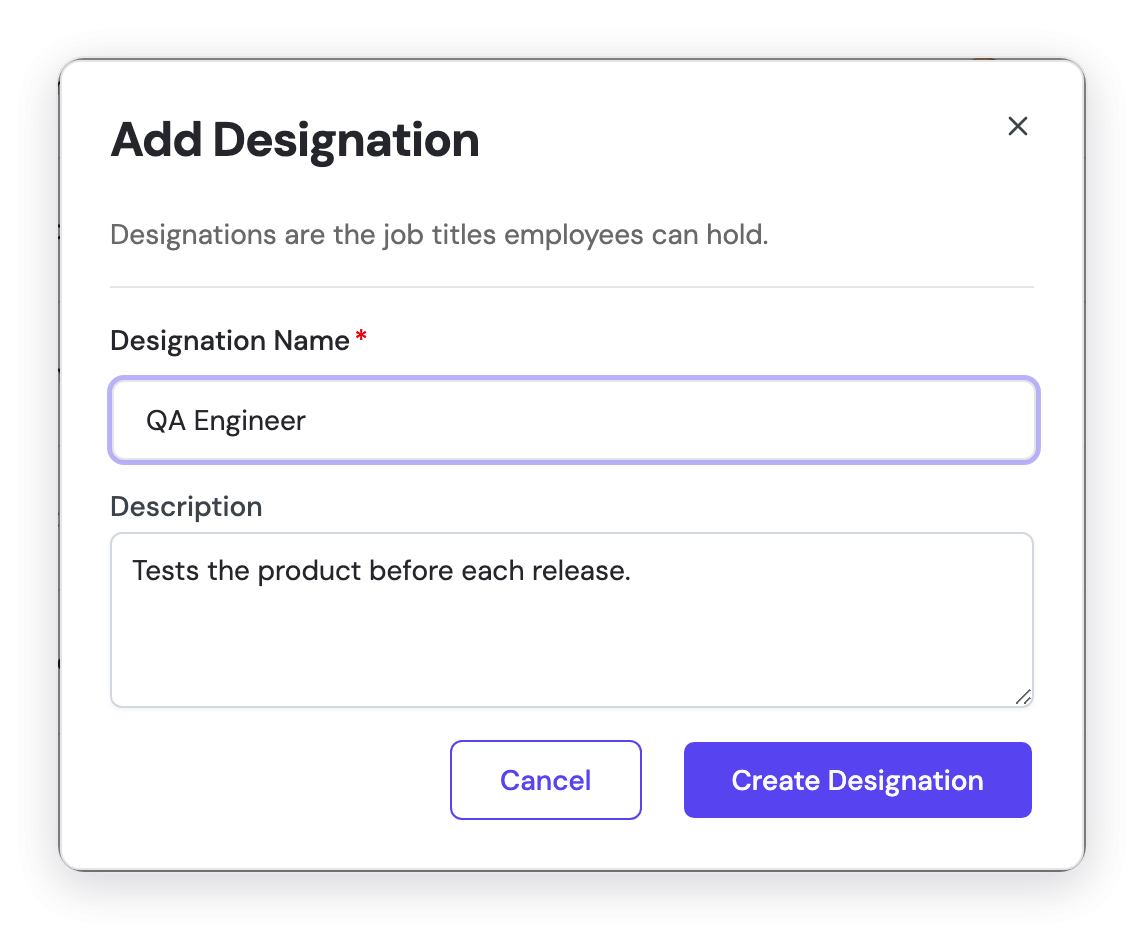
FlyHR shows "Designation created."
You can also add a designation while you add an employee. Click + Add new above the Job Title field.
Edit or delete a designation
- On the row of the designation, click the three-dot menu.
- Click Edit or Delete.
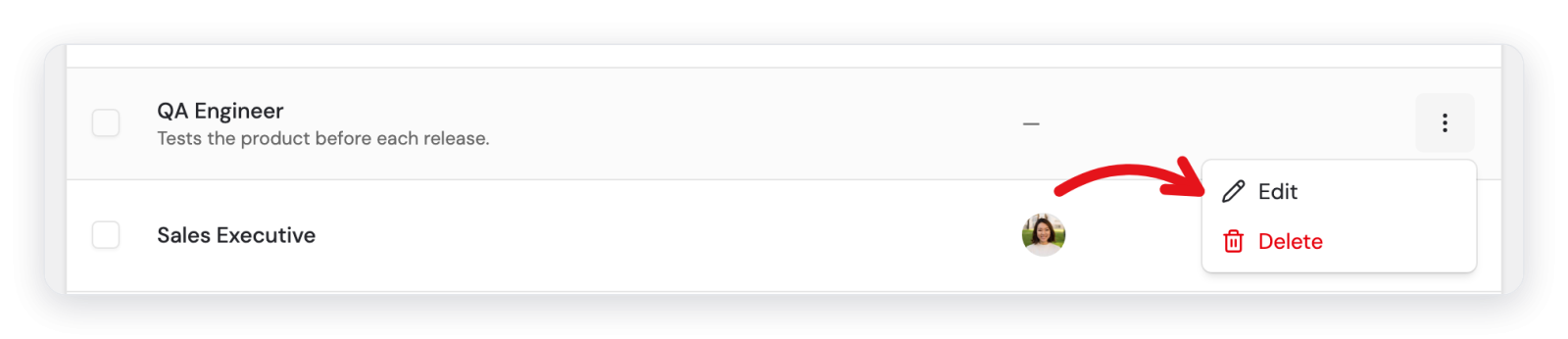
You cannot delete a designation that employees have. First give those employees another designation. See Update the Job Information of an Employee.
To find designations that no employee has, click the filter icon, then select Without employees in the Employees filter.
The fields
| Field | Necessary | What it means |
|---|---|---|
| Designation Name | Yes | The job title. |
| Description | No | A short text about the job. |
Was this page helpful?